

June 4, 2026
AI Content SaaS: How to Choose Tools That Improve the Whole Content Workflow
AI content SaaS is not just a faster writing tool. This guide shows how teams should evaluate platforms around workflow, control, publishing, and measurable productivity.
AI content SaaS is easy to buy and hard to operationalize.
A team signs up because the demo looks simple: type a prompt, get a draft, publish more often. Two weeks later, the same team is arguing about tone, approvals, duplicate ideas, unreliable facts, and whether anyone actually saved time.
Teams think the problem is content generation. The real problem is content workflow.
That changes the conversation. The practical question is not whether an AI tool can write a blog post, email, landing page, or product update. Many can. The practical question is whether the software fits the way your team decides what to publish, who reviews it, how brand standards are enforced, and how performance feeds back into the next piece.
This guide treats AI content SaaS as an operating layer for content work, not a magic box for words. If you are comparing tools in 2026, that distinction matters.
Table of contents
- Why AI content SaaS is now workflow infrastructure
- The real buying decision: output, control, or workflow
- Map your content workflow before you compare tools
- The core architecture of an AI content SaaS stack
- What to compare when evaluating AI content SaaS
- Implementation workflow for a small SaaS team
- Governance, brand safety, and editorial control
- Common failure modes in AI content SaaS projects
- What works in production
- Where SaaSrow fits in the tool-selection process
Why AI content SaaS is now workflow infrastructure
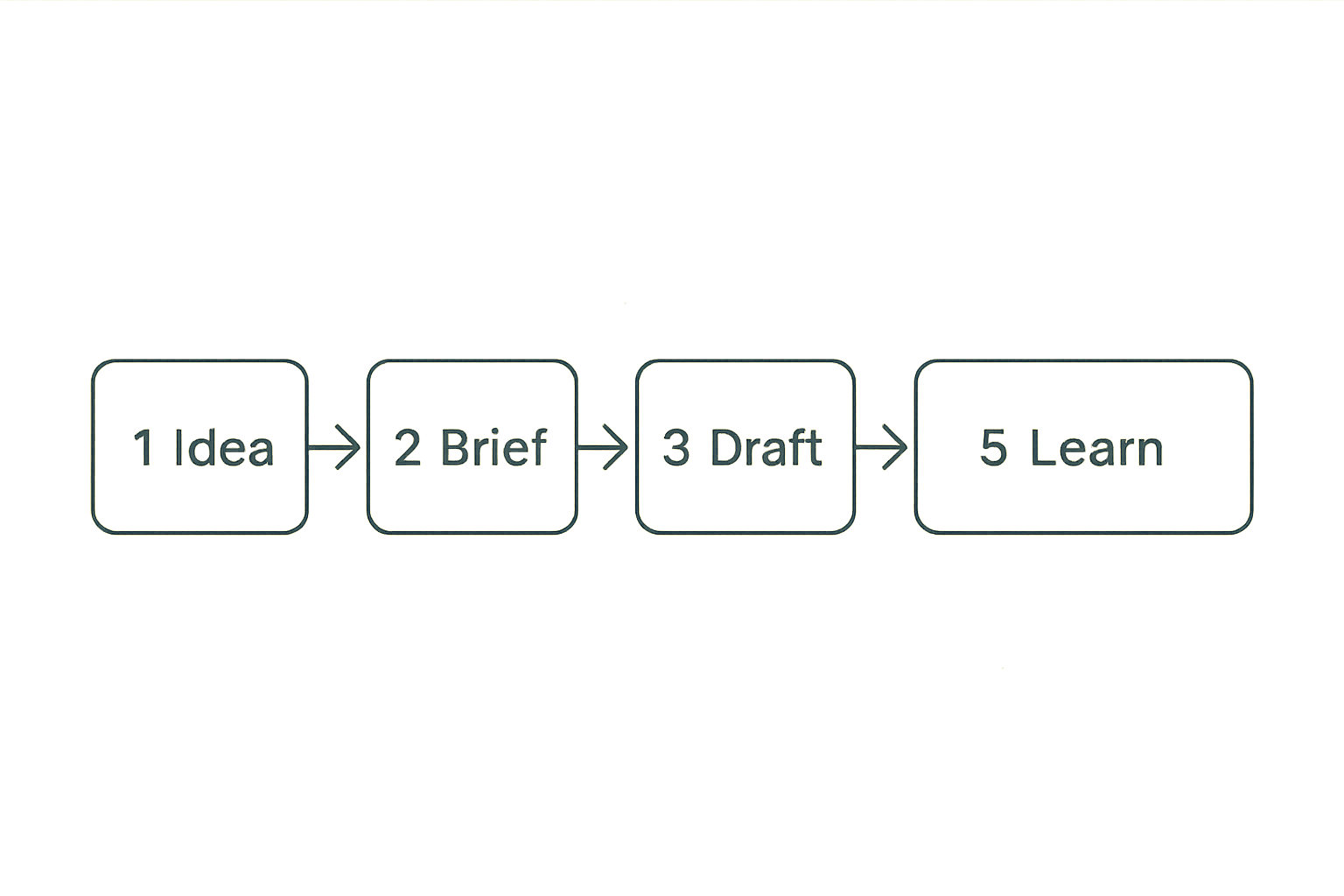
The shift from writer tool to operating system
Early AI writing tools were mostly blank-page assistants. They helped someone move from no draft to a rough draft. That still has value, but it is no longer the main reason teams buy AI content SaaS.
In production, content work has more moving parts:
- Topic research
- Search intent and audience mapping
- Product positioning
- Subject-matter expert input
- Drafting
- Editing
- Legal or compliance review
- CMS formatting
- Distribution
- Performance review
- Refresh planning
A useful way to think about it is this: the AI writing model is one component, not the system. The system is the workflow around the model.
The mistake teams make is buying a generation feature and expecting it to fix planning, editing, approvals, and publishing. It usually does the opposite. It exposes the gaps faster.
Why small teams feel the pressure first
Large teams can hide workflow problems with headcount. Small teams cannot. A founder, marketer, product manager, or agency operator may be responsible for strategy, writing, review, publishing, and reporting in the same week.
For small teams, the promise of AI content SaaS is not just more words. It is less context switching. The tool should reduce the number of tabs, documents, handoffs, and repeated explanations required to produce useful content.
That means buyers should ask operational questions early:
- Can the tool remember brand and product context?
- Can it turn a brief into multiple formats without losing the point?
- Can reviewers comment, approve, or reject inside the workflow?
- Can it support repeatable templates for common content types?
- Can it connect to the systems the team already uses?
Practical rule: If an AI content SaaS tool only improves the drafting step, treat it as a writing assistant, not a workflow platform.
The real buying decision: output, control, or workflow
Output tools
Output tools optimize for speed. They are good when the job is simple and the risk is low: ad variants, social captions, quick product blurbs, short email drafts, or first-pass outlines.
They usually have lightweight interfaces, broad templates, and fast generation. The tradeoff is that output tools often rely on the user to provide context every time. That can work for an individual. It breaks down when multiple people need consistent results.
Output tools are useful when:
- One person owns the final content
- The content is short or low-risk
- Brand requirements are flexible
- Human editing is expected
- The team does not need deep approval flows
What breaks in practice is consistency. Different users prompt differently, accept different quality bars, and store drafts in different places.
Control systems
Control systems focus on guardrails. They help teams enforce brand voice, approved claims, restricted phrases, compliance rules, or structured review processes.
These tools are more useful for companies with regulated content, complex products, or multiple contributors. They may not produce the flashiest demo, but they reduce the risk of publishing something that creates support tickets, legal review, or customer confusion.
Control matters when content touches:
- Pricing
- Security claims
- Medical, financial, or legal advice
- Competitive comparisons
- Product capabilities that change often
- Customer data or case studies
The practical question is whether the tool can enforce rules before the content reaches the public. A style guide in a separate document is not the same as a style guide embedded into the workflow.
Workflow platforms
Workflow platforms combine generation, control, collaboration, and publishing support. They are not always necessary, but they are often where teams end up after the first AI writing experiment becomes a recurring process.
Here is the difference:
| Buying angle | What teams look for | What it solves | Common limitation |
|---|---|---|---|
| Output | Fast drafts and templates | Blank-page problem | Inconsistent quality |
| Control | Brand rules and approvals | Risk reduction | Slower setup |
| Workflow | Briefs, drafts, reviews, publishing | Repeatable production | Requires process clarity |
No category is universally best. The right choice depends on the bottleneck. If your team cannot start drafts, output matters. If your team publishes risky or inconsistent claims, control matters. If your team loses time moving content between tools, workflow matters.
Practical rule: Buy for the bottleneck you actually have, not the feature that looks best in the demo.
Map your content workflow before you compare tools
Inventory the content states
Before comparing AI content SaaS platforms, map the states your content moves through. This does not need to be complicated. A simple list is enough.
For example:
- Idea captured
- Brief approved
- Draft generated
- Draft edited
- SME reviewed
- SEO checked
- CMS formatted
- Published
- Performance reviewed
- Refresh scheduled
Once you see the states, you can evaluate software more honestly. A tool that only supports states 3 and 4 may still be useful, but it will not solve states 1, 2, 5, 7, or 9.
This is where many teams overestimate savings. They count the minutes saved on drafting and ignore the hours still spent clarifying intent, requesting feedback, fixing formatting, and reconciling versions.
Identify human approval points
AI does not remove accountability. It makes approval design more important.
You need to know which decisions require a human. For most SaaS teams, human approval should remain around:
- Final positioning
- Claims about product capabilities
- Customer examples
- Security or privacy statements
- Pricing and packaging language
- Legal or compliance-sensitive topics
- Any content that may shape buyer expectations
The goal is not to put humans everywhere. That creates delay. The goal is to put humans where judgment matters.
A practical approval map might look like this:
- Marketing approves topic and angle
- Product approves technical accuracy
- Legal reviews only restricted claim types
- Editor approves voice and structure
- Owner approves publish-ready version
Define handoffs and ownership
Every content workflow has handoffs. Bad AI implementation adds more of them.
A common failure mode looks like this: one person generates a draft, another person edits it in a document, a third person leaves comments in chat, someone else copies it into the CMS, and performance notes live in a spreadsheet. The tool technically produced content faster, but the team created a fragmented process.
For each content type, define:
- Who owns the brief?
- Who owns the draft?
- Who has approval rights?
- Who publishes?
- Who reviews performance?
- Where does the final source of truth live?
This is basic operations work, but it is where AI content projects either become productive or noisy.
The core architecture of an AI content SaaS stack
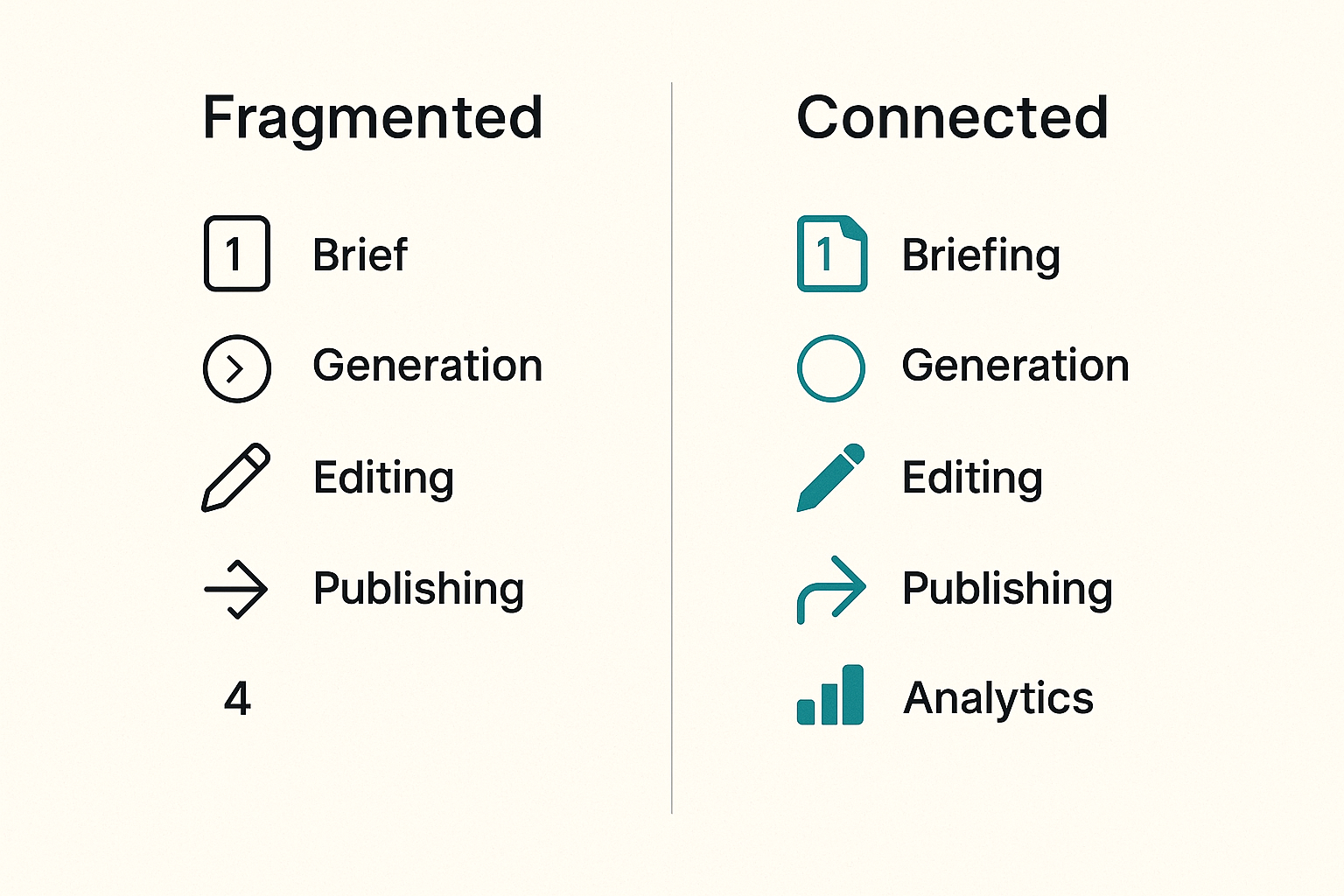
Briefing layer
The briefing layer is where quality starts. If the brief is vague, the draft will be vague. Better models do not remove the need for clear inputs.
A useful brief for AI-assisted content usually includes:
- Audience
- Search intent or buyer intent
- Product context
- Angle
- Required sections
- Excluded claims
- Internal examples
- Tone notes
- Call to action
- Reviewer notes
Here is a simple brief template:
content_type: product comparison guide
audience: small business software buyer
intent: evaluate options before trial
primary_keyword: ai content saas
angle: workflow and operational fit, not hype
must_include:
  - approval process
  - integrations
  - governance
avoid:
  - unsupported performance claims
  - generic AI hype
reviewers:
  - marketing owner
  - product owner
The briefing layer should be reusable. If every user has to invent a new prompt from scratch, the team will get inconsistent output.
Generation layer
The generation layer turns briefs into drafts, outlines, variants, summaries, or repurposed assets. This is the part most buyers notice first.
Model quality matters, but it is not the only variable. The generation layer should also support:
- Saved templates
- Brand context
- Content type rules
- Source material input
- Iteration history
- Structured output formats
- Easy regeneration of sections, not only whole documents
What fails is treating generation as final production. AI-generated drafts need editing because good content is not just grammatical. It must be accurate, specific, useful, and aligned with the business.
Editorial layer
The editorial layer is where content becomes publishable. This includes comments, suggestions, versioning, approvals, plagiarism checks, fact checks, tone checks, and style rules.
Many teams underestimate this layer because it feels less exciting than generation. But in day-to-day work, the editorial layer often determines whether the tool is adopted.
Look for questions like:
- Can editors see what changed?
- Can reviewers approve or request changes?
- Can users compare versions?
- Can brand rules be applied consistently?
- Can the tool flag unsupported claims?
- Can comments stay attached to the content?
A tool that generates well but edits poorly will push the team back into docs, chat, and spreadsheets.
Publishing and analytics layer
The publishing layer connects content to the outside world. This may include CMS export, formatting, metadata, images, internal links, distribution snippets, and performance reporting.
The analytics layer closes the loop. Without it, the team has no clear way to learn which briefs, templates, topics, or formats work.
For smaller teams, this does not need to be enterprise-grade. Even basic tracking helps:
- Date published
- Content type
- Owner
- Target keyword or campaign
- Status
- Primary conversion goal
- Last updated date
- Notes from performance review
Practical rule: If performance data never reaches the content workflow, the AI will help you repeat work faster, not improve it.
What to compare when evaluating AI content SaaS
Model quality is not enough
Model quality is table stakes. If the tool cannot produce coherent drafts, it will not last. But most serious AI content SaaS evaluations should go beyond sample output.
Compare tools across operational criteria:
| Evaluation area | Good sign | Warning sign |
|---|---|---|
| Briefing | Structured inputs and reusable templates | Prompt box only |
| Brand voice | Rules, examples, and reusable profiles | Generic tone sliders |
| Collaboration | Comments, roles, approvals | Shared login or exports only |
| Accuracy | Source handling and review support | Confident unsupported claims |
| Publishing | CMS or export workflows | Copy-paste everything |
| Measurement | Content status and performance notes | No feedback loop |
| Governance | Permissions and audit history | Everyone can publish anything |
The mistake teams make is running a one-draft test and calling it an evaluation. A better test is to run one real content item through the full workflow from idea to publish-ready.
Collaboration and permissions matter
Content tools often start with one enthusiastic user. Then the team grows into them. That is when permission design matters.
At minimum, ask whether the platform supports:
- Admins
- Editors
- Contributors
- Reviewers
- Read-only users
- Workspace separation
- Approval rights
This matters because content is a business asset. Not everyone should change templates, approve claims, edit brand voice, or publish externally.
For agencies, consultants, or teams managing multiple brands, workspace separation is especially important. Without it, assets get mixed, examples leak across accounts, and reviewers lose trust in the system.
Integrations decide adoption
A tool that does not fit the existing stack becomes another tab people forget to open.
Useful integrations vary by team, but commonly include:
- CMS
- Project management tools
- Document editors
- SEO tools
- Analytics platforms
- Asset libraries
- Chat or notification tools
- CRM or campaign systems
Do not evaluate integrations only by whether a logo appears on the website. Ask what the integration actually does. Can it push content? Pull data? Sync status? Preserve formatting? Trigger review notifications? Maintain metadata?
A shallow integration may still save time, but you should know its limits before you design around it.
Implementation workflow for a small SaaS team
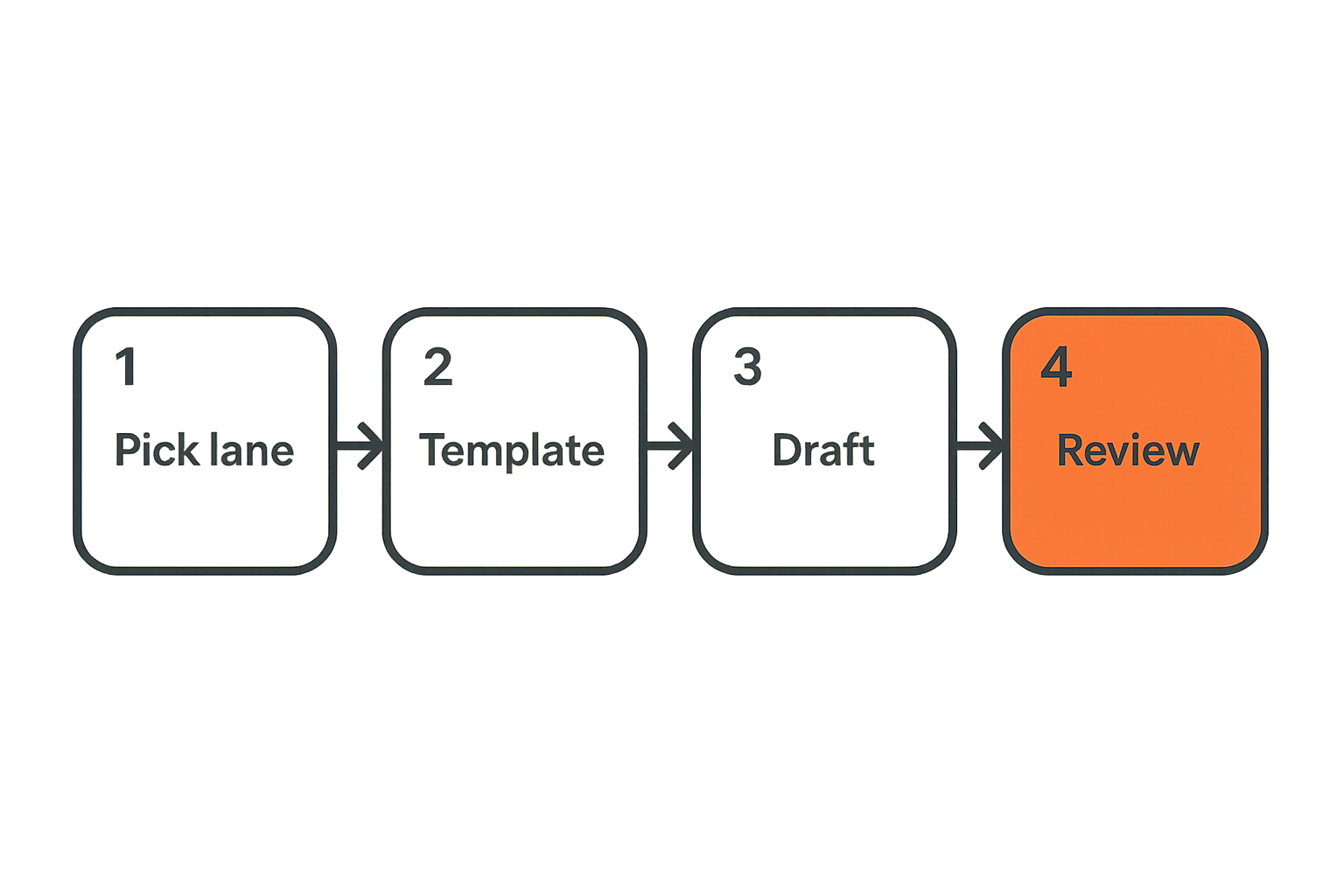
Start with one content lane
Do not roll out AI content SaaS across every content type at once. Start with one lane that is frequent enough to matter and contained enough to manage.
Good first lanes include:
- Blog refreshes
- Product update posts
- Help center drafts
- Email newsletter drafts
- Landing page variants
- Social repurposing from long-form content
Avoid starting with the most complex, highest-risk content. If your first project requires legal, product, executive, and customer approval, the tool will be blamed for process complexity it did not create.
A practical implementation sequence looks like this:
- Pick one content lane.
- Document the current workflow.
- Define the quality bar.
- Create one reusable brief template.
- Generate three to five real drafts.
- Review the drafts with the normal team.
- Track edits, delays, and approval issues.
- Adjust the template and rules.
- Publish only when the workflow is stable.
- Expand to a second lane.
This sequence is slower than a hype-driven rollout, but it is much more likely to survive contact with daily work.
Build prompts into templates
Prompt craft should not live only in one person’s head. If a team member writes a great prompt, turn it into a template.
A template should capture:
- Content type
- Inputs required
- Default structure
- Tone rules
- Research requirements
- Output format
- Review checklist
- Known exclusions
For example, a product update template might require the product area, user problem, new capability, limitations, screenshots needed, support links, and approval owner.
The team at bl0ggers.com works with content teams that want higher AI-assisted output without giving up editorial control, and the same pattern shows up often: reusable briefs and templates outperform one-off prompting.
Measure cycle time and rework
If you do not measure implementation, every opinion sounds equally true.
Track simple workflow metrics before and after adoption:
- Time from idea to first draft
- Time from draft to approval
- Number of review rounds
- Number of major rewrites
- Number of factual corrections
- Number of formatting fixes
- Content published per month
- Content refreshed per month
Do not obsess over perfect attribution. The goal is to see whether the tool reduces friction or simply moves it.
For example, if first drafts arrive faster but review rounds double, you may have a quality or briefing problem. If drafts are strong but publishing is slow, the bottleneck may be CMS formatting or approvals.
Governance, brand safety, and editorial control
Create rules the tool can enforce
Brand guidelines are only useful if they influence the work. A PDF sitting in a shared drive does not count.
Translate guidelines into rules the AI content SaaS platform can apply:
- Approved product names
- Words to avoid
- Claims that require evidence
- Required disclaimers
- Tone examples
- Competitor mention rules
- Reading level preferences
- Formatting standards
This is where content operations and software configuration meet. The tool should help users do the right thing by default.
Practical rule: Governance should reduce review burden, not add a new review layer for every sentence.
Keep humans on high-risk decisions
Some teams treat AI governance as if it means blocking everything. Others treat it as if it means trusting everything. Both approaches fail.
Keep human review for decisions that require judgment, context, or accountability:
- Is this claim true for the current product?
- Are we promising something sales or support cannot defend?
- Does this comparison fairly represent alternatives?
- Are we using customer information appropriately?
- Does this advice create risk for the reader?
AI can assist with checking, summarizing, and flagging. It should not be the final authority on business-critical claims.
Audit the content trail
Audit history matters when something goes wrong. If a page contains an outdated claim, you need to know where it came from, who approved it, and whether the source material changed.
Good audit trails include:
- Original brief
- Generated draft versions
- Reviewer comments
- Approval status
- Final editor
- Publish date
- Last updated date
- Source references
This is not only for compliance-heavy teams. It is useful for any SaaS business with changing features, pricing, or positioning.
Common failure modes in AI content SaaS projects
The content gets faster but weaker
The most common failure is simple: the team publishes more content that says less.
This happens when AI content SaaS is measured only by volume. The team celebrates output, but readers encounter generic advice, repeated points, vague claims, and articles that do not reflect actual product knowledge.
What fails:
- No clear audience
- No original examples
- No subject-matter input
- No editorial bar
- No performance review
What works:
- Strong briefs
- Specific reader problems
- Product context
- Editorial review
- Refresh cycles
Speed is useful only when the content still helps someone make a decision, solve a problem, or understand a workflow.
Teams automate the messy middle
The messy middle is where content gets shaped: clarifying the angle, resolving contradictions, getting product input, checking claims, and deciding what not to say.
Many teams try to automate that part too early. The result is content that looks complete but lacks judgment.
AI can support the messy middle by producing options, summarizing source material, identifying gaps, and suggesting structure. But humans still need to make decisions about positioning, tradeoffs, and relevance.
A useful rule is to automate repeated mechanics before judgment. Formatting, summaries, variants, metadata, and first-pass outlines are good candidates. Strategic claims and final recommendations need human ownership.
No one owns the feedback loop
If no one reviews outcomes, the system does not improve.
A team may publish AI-assisted content for months without asking which pieces performed, which templates created the least rework, which reviewers slowed down, or which content types created support confusion.
Ownership should be explicit. One person or function should own the feedback loop for each content lane. That owner does not need to do all the work, but they should make sure learning gets back into templates, briefs, and rules.
Without ownership, AI content SaaS becomes a faster content treadmill.
What works in production
Treat AI as a drafting system
The most stable pattern is to treat AI as a drafting system with structured inputs and human judgment around it.
That means AI can help with:
- Outlines
- First drafts
- Rewrites
- Summaries
- Variants
- Repurposing
- Metadata
- Content refresh suggestions
- Editorial checklists
But humans own:
- Strategy
- Positioning
- Accuracy
- Final approval
- Reader empathy
- Business risk
This division is not anti-AI. It is how teams get practical value without pretending the software understands the full business context.
Standardize briefs before prompts
Better prompts help. Better briefs help more.
A prompt tells the model what to do now. A brief tells the workflow why the content should exist, who it is for, and what constraints matter. If the brief is strong, prompts become easier, reviews become faster, and output becomes more consistent.
Standardize the brief fields that matter for your team. Do not create a 40-field form nobody fills out. Start with the minimum that improves quality:
- Audience
- Problem
- Desired action
- Required points
- Source material
- Exclusions
- Reviewer
Then improve the brief as you learn where drafts fail.
Connect publishing to learning
Publishing is not the end of the workflow. It is the start of evidence.
After content goes live, capture what happened. Did it rank? Did it convert? Did sales use it? Did support send it to customers? Did readers engage? Did it need corrections?
The best AI content SaaS setup turns that information into better future briefs and templates. If a template consistently produces content that needs heavy rewrites, fix the template. If a topic cluster performs well, create follow-up briefs. If a claim creates confusion, add a governance rule.
That changes the conversation from content production to content operations.
Where SaaSrow fits in the tool-selection process
Use comparisons to narrow the field
Software buying is messy because most categories overlap. AI content SaaS tools may look similar on landing pages but behave very differently in real workflows.
A comparison mindset helps. Instead of asking which tool is best, ask which tool fits your current constraint:
- Need faster first drafts? Prioritize templates and generation quality.
- Need better brand control? Prioritize rules, permissions, and review workflows.
- Need fewer handoffs? Prioritize integrations and publishing support.
- Need team adoption? Prioritize usability and collaboration.
- Need agency workflows? Prioritize workspaces, roles, and client separation.
This is the kind of software selection problem SaaSrow is built around: helping readers compare tools, understand tradeoffs, and choose software based on practical fit rather than feature noise.
Match software to the team you have
The best tool on paper can fail if it expects a team you do not have.
A two-person startup does not need the same governance model as a 50-person marketing department. A solo creator does not need the same permission system as an agency. A regulated SaaS vendor cannot use the same review process as a casual newsletter.
Before buying, define your operating reality:
- Team size
- Review complexity
- Content volume
- Risk level
- Existing tools
- Internal expertise
- Publishing cadence
- Budget and admin capacity
Then choose AI content SaaS that fits that reality. You can always mature the process later. Buying too much process too early creates friction. Buying too little control too late creates cleanup work.
Try saasrow.com
AI content SaaS should help your team create better workflows, not just more drafts. For practical software comparisons and productivity-focused tool discovery, Try saasrow.com.