
June 4, 2026
CI/CD Security SaaS: A Practical Buying and Implementation Guide for SaaS Teams
CI/CD security SaaS is not just another scanner. It is a workflow decision about how your team protects source, builds, artifacts, deployments, and developer velocity.
CI/CD security SaaS usually enters the conversation after something uncomfortable happens: a leaked token, a suspicious package update, a failed customer security review, or a build pipeline that nobody can confidently explain.
Teams think the problem is missing scanners. The real problem is that the delivery system has become critical infrastructure, but it is still managed like a set of convenience scripts.
That changes the conversation. CI/CD security SaaS is not just a tool category. It is an architecture and workflow decision about who can change code, how builds are trusted, which risks block releases, and how teams keep shipping without turning every pull request into a security meeting.
The practical question is not whether your team needs more alerts. Most teams already have enough. The question is whether your software delivery workflow can produce trusted releases repeatedly, with controls your developers will actually use.
This guest post was contributed by the team at vu1nz.com, with a focus on defending CI/CD pipelines and software supply chains from the attacks that show up in real engineering environments.
Table of contents
- Why CI/CD security SaaS is a workflow decision
- Where CI/CD security SaaS fits in the stack
- What changes when you buy SaaS instead of building tooling
- The minimum control set to expect
- A practical implementation workflow for small SaaS teams
- What breaks when CI/CD security SaaS is implemented badly
- How to evaluate CI/CD security SaaS vendors
- Metrics that make CI/CD security operational
- What works for SaaS buyers and what fails
- Product fit, procurement, and the next workflow
Why CI/CD security SaaS is a workflow decision
CI/CD used to be an efficiency layer. It connected source control to tests, builds, and deployments. Now it is a privileged automation system with access to code, secrets, cloud accounts, container registries, deployment environments, and customer-facing infrastructure.
That means CI/CD security SaaS should not be evaluated as a dashboard with findings. It should be evaluated as part of the release workflow.
The pipeline is now a production system
A useful way to think about it is this: your CI/CD pipeline can often do more damage than an individual production user. It can publish packages, push containers, deploy infrastructure, rotate configuration, and access credentials that developers never see directly.
If an attacker controls a build step, a dependency, a workflow token, or a deployment action, they may not need to break into production through the front door. They can change what production becomes.
The mistake teams make is treating CI/CD as an internal developer tool instead of a production-grade control plane. That leads to loose permissions, old tokens, unreviewed workflow changes, and build logs full of sensitive data.
Practical rule: If a system can deploy to production, publish an artifact, or access production secrets, treat it as production infrastructure.
Security has to match delivery speed
Security that waits until after deployment is useful, but incomplete. By the time a vulnerable artifact reaches production, the team is dealing with rollback decisions, customer impact, support messaging, and audit trails.
Security that runs too early but blocks everything is also a problem. Developers start bypassing checks, creating emergency exceptions, or ignoring results because the tool does not understand context.
CI/CD security SaaS works when it fits the speed and shape of delivery. A small SaaS team shipping daily needs different controls than an enterprise platform team releasing weekly through multiple approval boards. The goal is not maximum friction. The goal is reliable friction at the right points.
Where CI/CD security SaaS fits in the stack
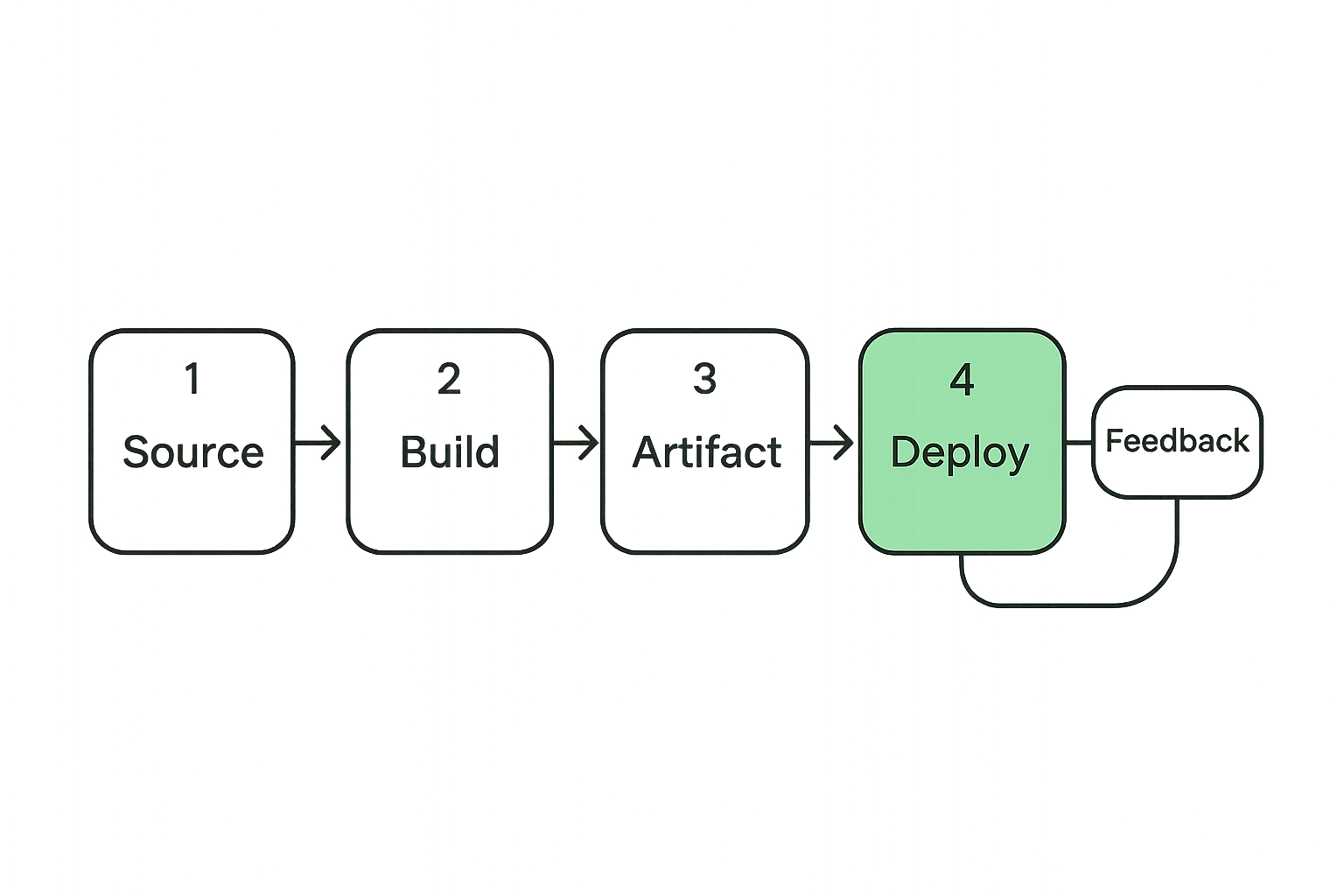
A CI/CD security product should map to your delivery system, not just your org chart. The practical stack has four layers: source, build, artifact, and deployment. Runtime feedback sits around all four because production incidents often reveal which pre-release controls matter most.
Source control and identity
Most pipeline risk starts with identity. Who can push to protected branches? Who can approve pull requests? Which service accounts can trigger deployments? Are workflow files reviewed like application code?
For SaaS buyers, the first requirement is visibility across repositories and identities. You want to know which repos are connected to production, which workflows run with elevated permissions, and which contributors can alter release behavior.
Useful controls include branch protection checks, signed commits where appropriate, review requirements for workflow changes, detection of over-permissioned tokens, and alerts for risky identity changes.
Build runners and artifacts
Build runners are often underestimated. Hosted runners, self-hosted runners, and ephemeral runners all have different risk profiles. A self-hosted runner with persistent workspace data can become a quiet bridge between projects if cleanup and isolation are weak.
Artifacts also need a trust story. Which build created the container? Which commit produced the package? Which dependencies were included? Was the artifact scanned before it was promoted?
CI/CD security SaaS should help connect commits, builds, artifacts, and deployments into one traceable chain. Without that chain, investigations become guesswork.
Deployment gates and runtime feedback
Deployment gates are where productivity and security collide. If every medium vulnerability blocks production, teams will hate the system. If nothing blocks production, the system is mostly reporting.
The better pattern is tiered enforcement. For example, block exposed secrets immediately, require approval for critical dependency issues in reachable services, warn on lower priority findings, and create backlog work for non-urgent hardening.
Runtime feedback matters because not every finding has equal operational risk. A vulnerable library in a dead path is different from a vulnerable library in an internet-facing authentication service. Good CI/CD security connects pipeline findings to service context.
What changes when you buy SaaS instead of building tooling
There is nothing wrong with internal scripts. Many good security programs start with scripts, shell commands, and CI jobs. The problem is that scripts become products once the organization depends on them.
The practical question is whether your team wants to maintain a security platform or operate a security workflow.
Managed coverage vs internal maintenance
Building internally gives flexibility. You can tune checks exactly to your environment, integrate with unusual systems, and avoid vendor dependencies. But you also own rule updates, API changes, scanner maintenance, triage logic, dashboards, notifications, permissions, and documentation.
CI/CD security SaaS shifts part of that burden to a provider. You still own decisions and response, but you should not have to rebuild common controls from scratch.
The tradeoff is control. Some SaaS platforms are opinionated. They may not support every edge case in your pipeline. Before buying, identify which parts of your workflow are standard enough to outsource and which parts require internal ownership.
The integration tax
Every security SaaS product has an integration tax. It needs access to repositories, build metadata, issue trackers, chat tools, cloud accounts, container registries, or deployment systems. Each integration creates setup work and trust decisions.
What breaks in practice is not usually the first connection. It is the long tail: new repos that never get onboarded, renamed teams that lose notification routing, migrated pipelines with stale policies, and alerts sent to channels nobody watches.
Practical rule: Do not buy a CI/CD security tool unless you know who will maintain integrations after the first month.
Data boundaries and trust
CI/CD security tools may see sensitive information: repository metadata, dependency manifests, logs, build results, vulnerability data, secrets patterns, and sometimes snippets of code. SaaS buyers should ask what data is collected, how it is stored, how long it is retained, and whether the platform can operate with limited permissions.
Least privilege matters here. A tool that only needs read access should not receive write access. A tool that comments on pull requests may need a bot identity, but that identity should not be able to merge code or alter protected branches.
This is not paranoia. It is basic SaaS procurement hygiene. The tool protecting the pipeline should not become the easiest way to compromise it.
The minimum control set to expect
A small team does not need every control on day one. It does need a baseline that covers the common ways pipelines fail: secrets, identity, dependencies, artifacts, and understandable policy.
Secrets and identity controls
Secrets scanning is table stakes, but not all secrets handling is equal. You need detection in pull requests, repository history, pipeline logs, and configuration files. You also need a rotation workflow. Finding a secret without helping the team revoke and replace it is only half the job.
Identity controls should highlight over-permissioned workflow tokens, broad service account access, risky branch protection gaps, and changes to deployment workflows. In many teams, pipeline identity grows organically until nobody can explain which token deploys what.
A useful control asks: if this credential leaks, what can it do? If the answer is deploy production or read customer data, it belongs in the highest response tier.
Dependency and artifact checks
Dependency scanning is noisy when it is detached from build and runtime context. The better approach is to prioritize based on severity, exploitability, reachability where available, and whether the dependency ships in a production artifact.
Artifact checks should include container image scanning, software bill of materials generation where useful, provenance metadata, and registry promotion rules. The point is to avoid the classic failure where a clean source branch produces an untrusted artifact because the build environment was compromised or inconsistent.
For SaaS teams with customer security questionnaires, artifact traceability can also reduce support burden. It is easier to answer supply chain questions when releases are linked to commits, builds, and approvals.
Policy gates that developers can understand
Policies fail when they read like legal documents or generic severity labels. Developers need to know what happened, why it matters, what blocks the build, and how to fix it.
A good policy gate might say: production deployment blocked because a high severity secret was detected in a changed file; rotate the credential, remove it from history if needed, and rerun the workflow. That is actionable.
A bad policy gate says: compliance failure. Contact security.
Practical rule: A blocking control must include a fix path. If the developer cannot tell what to do next, the control is not ready to block releases.
A practical implementation workflow for small SaaS teams
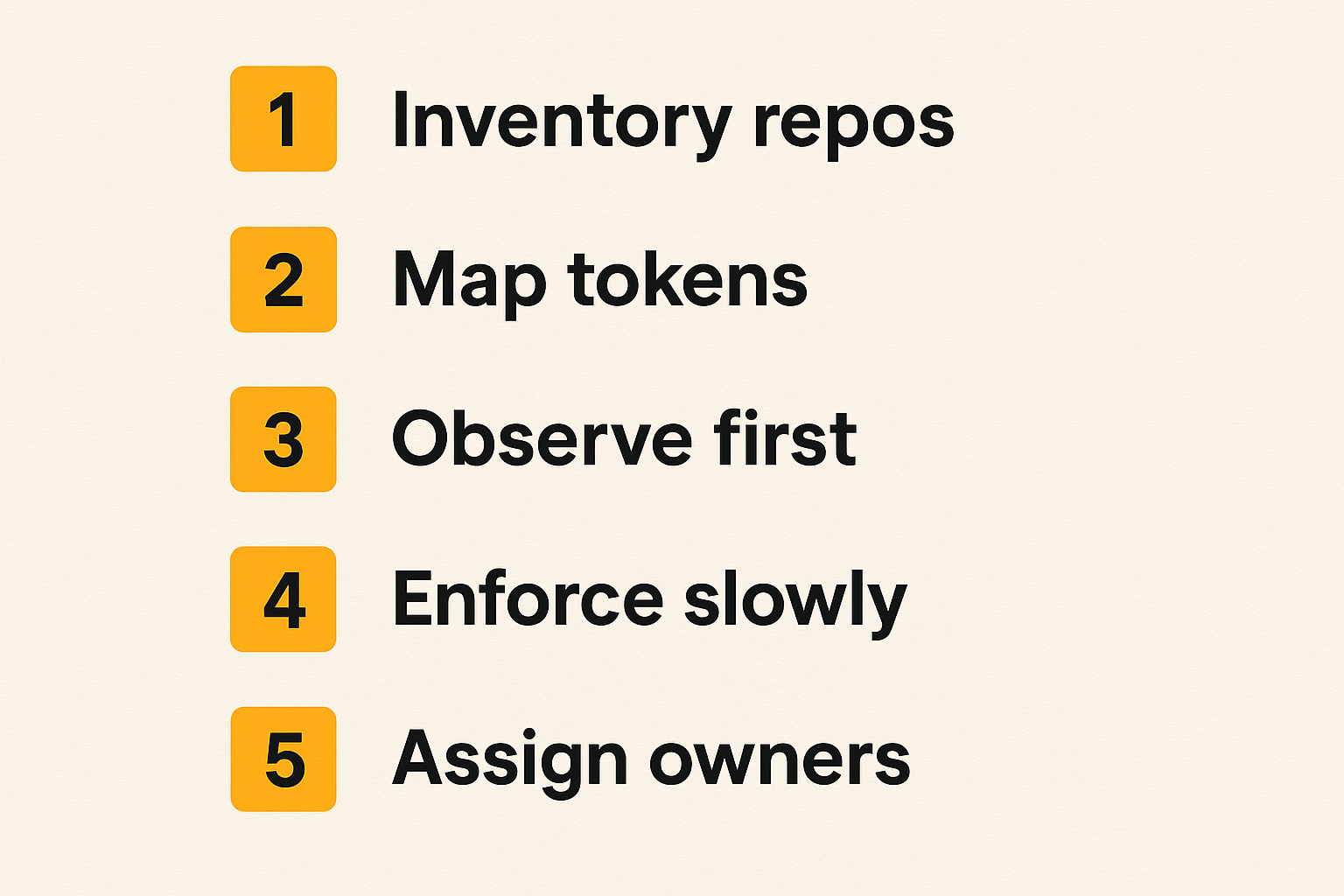
Small teams cannot afford a six-month platform rollout. They need a sequence that improves security without freezing delivery. The right order is visibility first, then prioritized enforcement, then ownership.
Start with visibility
Do not begin by blocking builds. Begin by mapping the delivery system.
- Inventory repositories that can affect production.
- Identify CI/CD workflows, runners, deployment jobs, and registry connections.
- List service accounts, tokens, and secrets used by pipelines.
- Connect findings to owners, not just repositories.
- Run the tool in observe mode for at least one release cycle.
This gives you a baseline. You will learn which findings are real, which are duplicates, which repos are abandoned, and which teams need better routing.
Visibility also exposes uncomfortable facts. Some production deployments may be triggered from old workflows. Some tokens may belong to former employees. Some repos may have no clear owner. Fixing those issues often reduces more risk than adding another scanner.
Add enforcement gradually
Once you understand the baseline, add enforcement in layers. Start with issues that are high confidence and high impact.
A practical first blocking set is exposed secrets in changed code, workflow permission escalation, deployment from unprotected branches, and critical vulnerabilities in production artifacts when a fix is available. Everything else can start as warn, ticket, or require approval.
The point is to build trust. If the tool blocks only when the team agrees it should block, adoption improves. If it blocks randomly, developers route around it.
Enforcement should also vary by environment. Blocking a development branch for every issue slows learning. Blocking production deployment for a confirmed critical issue is reasonable. Treat staging, preview, and production differently.
Assign ownership
Ownership is where many rollouts either mature or stall. A finding without an owner becomes dashboard decoration. A blocked build without an escalation path becomes release friction.
Assign ownership at three levels:
- Repository owner: fixes code, dependency, and workflow issues.
- Platform owner: manages CI/CD configuration, runners, shared templates, and integrations.
- Security owner: sets policy, handles exceptions, validates risk, and reviews metrics.
In a small company, one person may wear multiple hats. That is fine. What matters is that the workflow names the role before an incident happens.
What breaks when CI/CD security SaaS is implemented badly
Most failures are not technical. They are workflow failures disguised as tooling problems. The platform may detect the right issue, but the organization fails to route, prioritize, explain, or resolve it.
Alert noise without routing
A scanner that opens hundreds of issues across dozens of repositories can make the team less secure. People stop reading the output. Security loses credibility. Engineering sees the tool as background noise.
Routing matters more than volume. A single critical alert sent to the right owner with a clear fix path is better than a thousand unassigned findings.
Use ownership metadata, repository tags, service catalogs, or simple mapping files. The mechanism matters less than the result: every important finding should land where work actually happens.
Blocking builds for low context issues
Blocking is powerful because it changes behavior. It is dangerous for the same reason.
If a CI/CD security SaaS product blocks releases for findings that are not exploitable, not in production, or not fixable by the team receiving the alert, engineers will create bypasses. Those bypasses may become permanent.
The mistake teams make is confusing severity with release risk. Severity is one input. Release risk also depends on exposure, exploitability, asset importance, available fixes, and compensating controls.
Use block rules sparingly at first. Expand them as confidence improves.
Unclear exception handling
Every real program needs exceptions. A critical patch may not exist yet. A vulnerable dependency may be isolated. A release may need to ship under a customer deadline with documented risk acceptance.
Exception handling should be explicit, time-bound, and reviewable. Avoid permanent ignore buttons with no owner. A good exception records the affected service, reason, approver, expiration date, and follow-up action.
Practical rule: Exceptions are not failures. Untracked exceptions are failures.
How to evaluate CI/CD security SaaS vendors
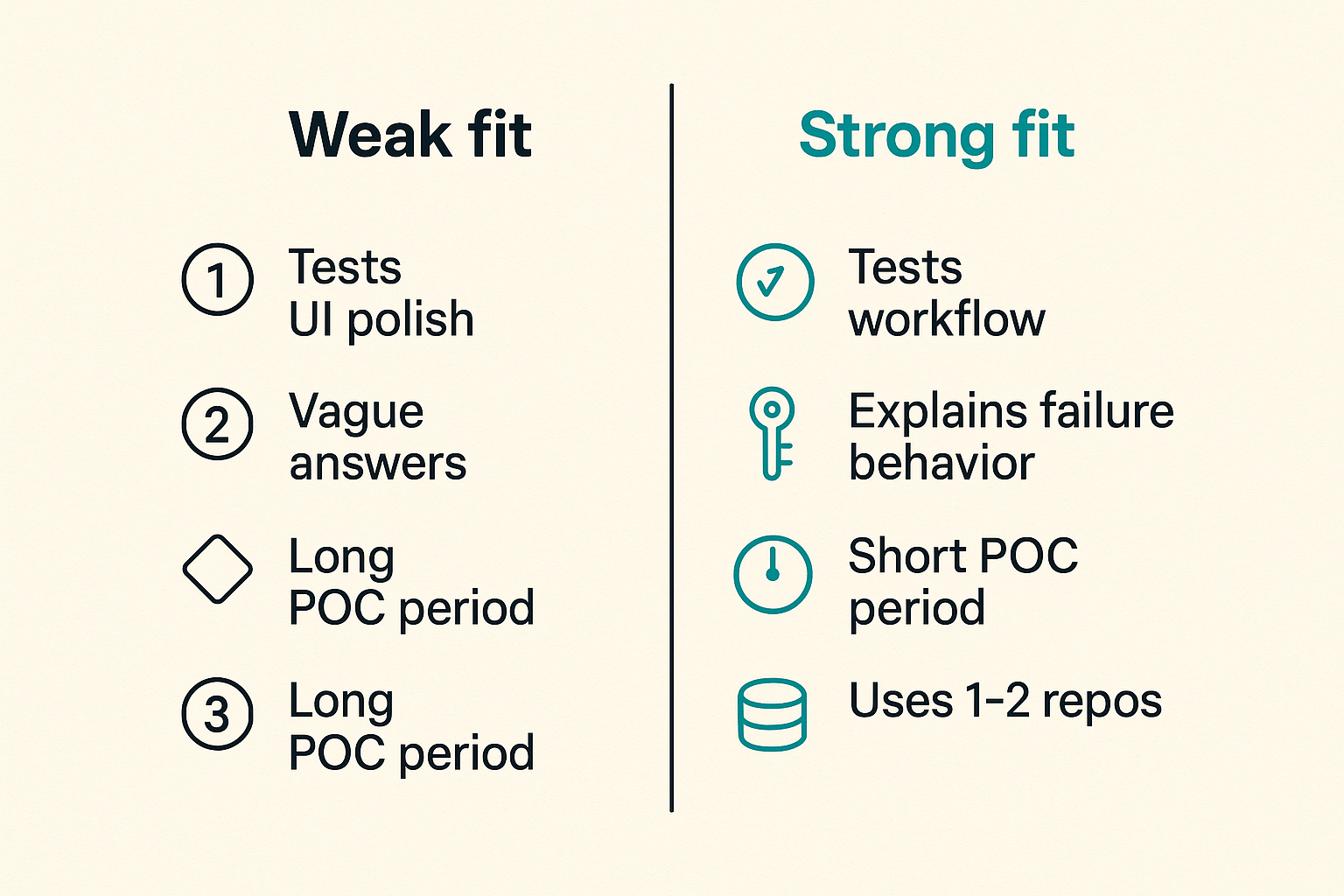
Buying CI/CD security SaaS is partly a feature comparison, but only partly. The better evaluation is operational: can this vendor fit your workflow, reduce investigation time, and improve release confidence without creating a second job for every developer?
Questions for the demo
Use demos to test workflow, not just UI polish. Ask the vendor to walk through a realistic scenario: a secret appears in a pull request, a workflow file requests broader permissions, a container image includes a critical dependency, and production deployment is about to run.
Strong questions include:
- Which systems need access, and what permissions are required?
- Can policies differ by repository, service, environment, and branch?
- How are duplicate findings grouped?
- Can developers see fix guidance inside their normal workflow?
- What happens when the tool is unavailable?
- How are exceptions approved, expired, and audited?
- Can we export data for reporting or incident review?
Watch for vague answers. If the vendor cannot explain failure behavior, permissions, or operational ownership, the product may create surprises later.
Proof of value criteria
A proof of value should be short and specific. Do not connect every repository on day one. Pick a representative set: one active production service, one shared library, one infrastructure repo, and one legacy repo if you have it.
Measure whether the product can find meaningful issues, reduce duplicate noise, route alerts correctly, and integrate with the tools your team already uses. Also measure setup burden. A platform that requires constant manual tuning may not fit a small team.
The proof should end with a decision memo, not just a feeling. Document what worked, what failed, required permissions, expected owners, rollout sequence, and estimated maintenance.
Comparison table
| Evaluation area | Weak fit | Strong fit |
|---|---|---|
| Pipeline coverage | Scans one stage and ignores the rest | Connects source, build, artifact, and deployment context |
| Developer workflow | Sends generic dashboard alerts | Comments or tickets with clear fix paths |
| Policy model | One global rule set for everything | Rules by repo, service, branch, and environment |
| Noise handling | Every finding becomes equal work | Deduplication, prioritization, ownership, and suppression with expiry |
| Access model | Broad permissions by default | Least privilege with documented scopes |
| Exception process | Permanent ignores with little context | Time-bound approvals with audit trail |
| Failure behavior | Unknown impact if service is down | Clear fail-open or fail-closed choices by control |
This table is not about finding the tool with the longest feature list. It is about finding the tool your team can operate.
Metrics that make CI/CD security operational
Metrics are useful when they change decisions. They are useless when they become a scoreboard nobody trusts.
For CI/CD security, the best metrics connect security outcomes with delivery health. You need to see whether controls are reducing risk without making the release process chaotic.
Measure speed and risk together
Track security and delivery in the same conversation. For example:
- Time from finding to owner assignment.
- Time from owner assignment to fix or exception.
- Number of blocked deployments by reason.
- Percentage of blocked deployments later confirmed as valid.
- Number of expired exceptions.
- High risk findings in production artifacts.
- Reopened findings after an attempted fix.
These metrics reveal workflow quality. If assignment time is high, routing is broken. If many blocks are overturned, policy is too broad. If exceptions expire without review, ownership is weak.
Track fix paths, not just findings
A dashboard showing 900 vulnerabilities may be technically accurate and operationally useless. A dashboard showing the 12 issues blocking production readiness, the owners, and the next action is useful.
Track fix paths. Which issues were resolved by dependency updates? Which required code changes? Which required base image updates? Which required vendor patches? Which were accepted with compensating controls?
That level of detail helps teams improve the system. If most issues require base image updates, invest in base image automation. If most issues sit unassigned, fix ownership. If most blocks are policy false positives, tune enforcement.
What works for SaaS buyers and what fails
A CI/CD security SaaS rollout succeeds when it becomes part of the delivery system. It fails when it remains an external audit layer that developers only notice when it interrupts them.
What works
The strongest implementations tend to share a few traits:
- Start with the release paths that matter most.
- Keep policies small, explicit, and tied to fix guidance.
- Use least privilege for integrations.
- Route findings to existing engineering workflows.
- Separate warn, require approval, and block actions.
- Review exceptions on a schedule.
- Measure whether alerts lead to fixes.
This is practical, not flashy. It is also how security becomes sustainable for small teams.
A useful way to think about it is as a productivity problem. The team is not buying security theater. It is buying a cleaner way to make release risk visible and manageable.
What fails
The common failure pattern is buying a tool to compensate for unclear process. The tool gets connected to everything, produces a large backlog, blocks a few builds, annoys developers, and then gets tuned down until it barely matters.
Other failure modes include:
- No defined owner for pipeline security.
- Treating all repositories as equally critical.
- Granting excessive permissions to the security platform.
- Enforcing policies before understanding baseline noise.
- Ignoring build runner isolation.
- Letting exceptions live forever.
- Reporting vulnerability counts without tracking remediation.
What breaks in practice is trust. Developers stop trusting the signal. Security stops trusting developers to respond. Leadership stops trusting the dashboard. Once that happens, the tool may still be installed, but the workflow is dead.
Product fit, procurement, and the next workflow
CI/CD security SaaS is easiest to buy when the team understands the workflow it wants. If the goal is simply to add a scanner, almost every vendor can look acceptable. If the goal is to protect the release system without slowing the business, the differences become clearer.
Where saasrow.com fits
For SaaS buyers and small business teams, the hard part is not just finding software. It is comparing tools against the way work actually gets done. That is where a practical software discovery and comparison workflow helps.
When evaluating CI/CD security products, use the same buying discipline you would use for any operational SaaS platform:
- Define the workflow before reviewing vendors.
- Identify the systems that must integrate.
- Decide who owns daily operation.
- Run a small proof of value before broad rollout.
- Compare pricing against maintenance saved, not feature count alone.
- Document the rollout plan and success metrics.
The closing point is simple: CI/CD security SaaS should make trusted delivery easier to operate. If it only creates another dashboard, it has not solved the real problem.
Try saasrow.com
Find and compare practical SaaS tools for better software workflows. Try saasrow.com when you are ready to evaluate your next CI/CD security SaaS option.