

July 17, 2026
Software Gore in 2026: How to Spot Broken Workflows Before You Buy or Roll Out SaaS
Software gore shows up as ugly screens, confusing flows, duplicate work, and broken handoffs. This guide helps SaaS buyers evaluate tools by workflow fit, not demo polish.
Software gore is not just a funny screenshot of a broken dashboard, a modal on top of a modal, or a settings page that looks like it escaped from 2008. In a business, software gore is what happens when a tool makes the user carry the system in their head.
Teams think the problem is ugly software. The real problem is broken workflow architecture.
That changes the conversation. If you are buying SaaS, managing a small team, or trying to improve productivity, the practical question is not whether a product looks modern in a demo. The question is whether the software can survive real work: messy data, handoffs, approvals, exceptions, customer requests, reporting, permissions, and change.
In 2026, this matters more because teams are adding more tools, more automations, more AI features, and more integrations without always removing anything. The result is a stack that looks powerful but behaves badly. Software gore is the visible symptom. The underlying disease is unmanaged complexity.
Table of contents
- What software gore really costs in 2026
- Software gore is a workflow architecture problem
- Common software gore patterns buyers should spot
- A practical evaluation workflow for avoiding software gore
- What breaks after implementation
- Comparison: polished software versus operationally sound software
- How small teams can reduce software gore in their current stack
- Buying rules for software that will age well
- Software gore in AI, automation, and no-code tools
- Build a software gore review habit
- Where saasrow.com fits
What software gore really costs in 2026
Software gore looks cosmetic until it hits throughput. A confusing form creates bad records. A buried status field delays follow-up. A broken integration makes two teams argue about which system is correct. A notification storm trains people to ignore the one alert that matters.
The cost is not only annoyance. It is rework, slow onboarding, messy reporting, support tickets, shadow spreadsheets, and decisions made from stale data. Many teams tolerate this because each individual flaw feels small. In production, the flaws compound.
The UI is only the visible wound
The classic software gore screenshot is a user interface failure: unreadable text, overlapping buttons, a checkout page that loops, or an admin panel with seventeen tabs that all seem to mean the same thing.
But the UI is usually downstream of deeper choices:
- Data models that do not match the work.
- Features shipped without enough deletion, undo, or recovery paths.
- Integrations that pass fields without preserving meaning.
- Permission models designed for the vendor demo, not your organization.
- Automation rules that were easy to create and hard to audit.
A useful way to think about it is this: the screen is where the user discovers the system design. If the design is incoherent, the screen becomes the crime scene.
Why buyers are seeing more of it
Modern SaaS teams ship faster. That is often good. It also means products accumulate features, settings, and integrations quickly. AI-assisted building, no-code workflows, and template-driven product development make it easier to create interfaces than to maintain coherent operating models.
Buyers also create their own software gore by layering tools. A CRM feeds a project tracker. The project tracker feeds a spreadsheet. The spreadsheet feeds a reporting dashboard. Then someone adds automation to patch the gaps. Nobody owns the end-to-end workflow, so nobody can explain why a customer status is wrong.
Related reading from our network: teams dealing with remote control and handoff issues face a similar ownership problem in collaboration workflows, as covered in Vizio Remote Control Lessons for Remote Teams.
When ugly software is still usable
Not every plain or dated tool is software gore. Some boring software is excellent because it has clear states, predictable behavior, reliable exports, and strong administrative controls. Some beautiful software is operationally terrible because it hides complexity under animations and empty states.
Practical rule: Do not confuse visual taste with operational quality. Judge software by what happens when the workflow gets messy.
For buyers, this is freeing. You do not need to become a design critic. You need to become a workflow skeptic.
Software gore is a workflow architecture problem
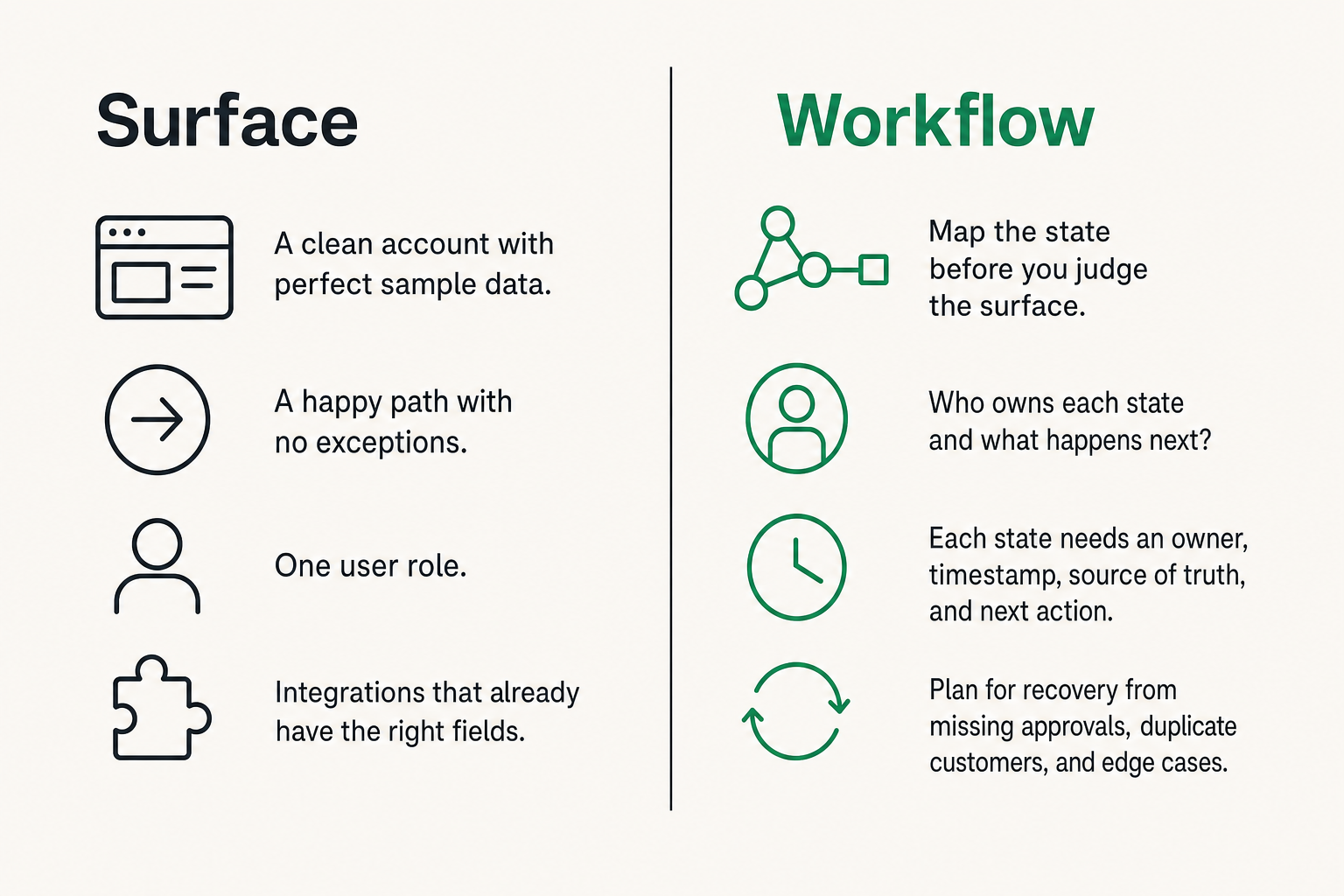
Software gore should be evaluated like an architecture problem. The important questions are about state, ownership, transitions, recovery, and visibility.
A task is not just a card. An invoice is not just a PDF. A customer request is not just a ticket. Each object moves through states, touches multiple people, triggers notifications, creates records, and eventually becomes part of reporting. Software gets ugly when those transitions are unclear.
The mistake teams make is judging screens alone
The mistake teams make is opening a demo, clicking around the nicest path, and asking whether the product feels intuitive. That helps, but it is incomplete.
A polished demo usually shows:
- A clean account with perfect sample data.
- A happy path with no exceptions.
- One user role.
- One workflow owner.
- Integrations that already have the right fields.
Your team will run something different. You will have old data, partial records, missing approvals, duplicate customers, people with overlapping responsibilities, and edge cases the demo never touched.
Map the state before you judge the surface
Before buying or replacing a tool, map the state changes that matter. For example, a lead might move from new to qualified to proposal to won to onboarding to active customer. Each state needs an owner, timestamp, source of truth, and next action.
Ask:
- Who can change the state?
- What data is required before the state changes?
- What happens if the change is wrong?
- Which downstream systems are affected?
- Can users see why the state changed?
If a tool cannot represent the actual state of your work, the UI will eventually become a workaround generator.
Look for ownership, not just polish
Good software makes ownership visible. You should be able to tell who owns a record, who owns the next action, who owns an exception, and who owns the system configuration.
This is especially important for small teams. When everyone does a bit of everything, unclear ownership feels flexible at first. Later, it becomes the reason tasks disappear.
If you are comparing broader productivity stacks, the same principle applies: choose tools by workflow ownership and integration fit, not by feature volume. We cover that buying lens in more depth in our practical guide to productivity software for small business.
Common software gore patterns buyers should spot
Most software gore falls into repeatable patterns. Once you know them, demos become easier to read. You stop asking whether the product has a feature and start asking how that feature behaves under pressure.
Form chaos and duplicate data entry
Bad forms are one of the earliest warning signs. They create inconsistent records before the workflow even begins.
Look for:
- Required fields that are required for the vendor, not for your work.
- Optional fields that should clearly be mandatory.
- Similar fields with unclear differences, such as status, stage, type, category, and label.
- Free-text fields used for structured decisions.
- Users entering the same customer, project, or transaction data in multiple places.
Duplicate entry is not just inefficient. It creates competing versions of reality. Once two systems disagree, the team starts managing the disagreement instead of the work.
Integration theater
Integration theater is when a vendor says it integrates with another tool, but the integration only handles the shallow case. It passes a name and email, but not status. It creates a task, but does not sync completion. It imports invoices, but not payment state. It posts messages, but cannot route exceptions.
Ask vendors what happens when records are edited, deleted, merged, retried, or rejected. Ask whether the integration is one-way or two-way. Ask which fields are canonical.
Related reading from our network: payment teams face the same problem when checkout screens look simple but settlement, reconciliation, and webhooks carry the real complexity, as discussed in Wolverine Peptide Payments: Crypto Checkout Architecture.
Permission and notification sprawl
Permission models often reveal whether a product was designed for real organizations. If everyone must be an admin to get work done, the tool is not flexible. It is unsafe. If permissions are so granular that nobody can understand them, the tool becomes fragile.
Notifications create another failure mode. Teams add alerts to compensate for unclear workflow design. Soon every change produces a ping. People mute channels, ignore email, and miss important exceptions.
Practical rule: If a workflow depends on humans noticing generic notifications, the workflow is not designed yet.
A practical evaluation workflow for avoiding software gore
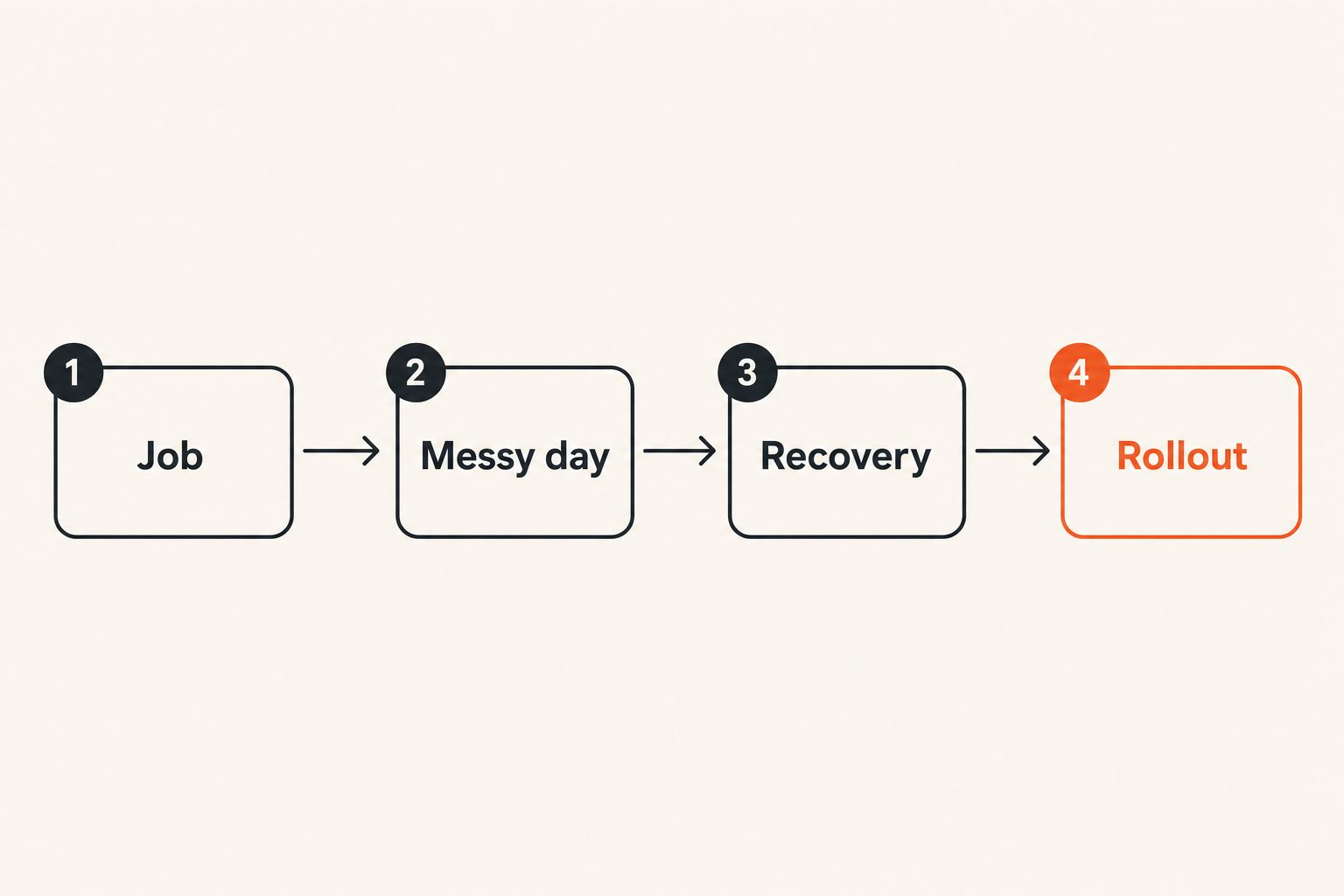
The practical question is how to catch software gore before you sign a contract or roll the tool out to the whole team. You need a repeatable evaluation workflow that tests operational fit, not just feature presence.
Here is a simple sequence that works for many small business and SaaS buying decisions:
- Write down the job the software must support.
- Identify the real objects involved, such as customers, projects, tasks, invoices, approvals, documents, or assets.
- Map the states those objects move through.
- List the people and systems that touch each state.
- Test the happy path.
- Test three messy paths.
- Validate reporting, exports, permissions, and recovery.
- Decide who owns administration after rollout.
Start with the job, not the category
Categories are useful for search. They are bad for final decisions. If you start with categories, you will ask whether you need project management software, workflow automation software, CRM software, or knowledge management software. The better starting point is the job.
For example:
- We need to capture customer requests and make sure they get resolved.
- We need to approve spend before it happens.
- We need to coordinate client onboarding across sales, operations, and finance.
- We need to turn recurring tasks into visible, accountable workflows.
Once the job is clear, categories become secondary. You may discover that a lightweight task tool plus a strong automation layer beats an expensive platform. Or you may discover the opposite: your lightweight stack is creating the software gore you are trying to escape.
Run the messy-day test
The demo path is Monday morning with clean data. The messy-day test is Thursday afternoon with exceptions.
Create realistic scenarios:
- A customer changes their email after onboarding begins.
- A project owner leaves the company.
- A duplicate record is discovered after two weeks of activity.
- An approval is rejected and resubmitted.
- A synced field is updated in the wrong system.
- A report must explain why numbers changed.
Watch how the product behaves. Can a normal user recover? Does the admin need to intervene? Is there an audit trail? Do downstream systems update correctly? Does the UI explain the current state?
Score recovery paths
Recovery is where software quality becomes obvious. Every real workflow needs undo, edit, merge, archive, restore, resend, retry, reassign, and explain paths. Not every tool needs all of them, but every tool needs the ones relevant to its work.
A basic scoring model:
- 0: No recovery path.
- 1: Recovery exists but requires support or engineering.
- 2: Admin can recover with risk.
- 3: Admin can recover safely with logs.
- 4: Users can recover common issues safely.
- 5: Recovery is guided, auditable, and hard to misuse.
This is where flashy products often struggle. They optimize creation and hide repair.
What breaks after implementation
Software gore is easiest to ignore before rollout and hardest to remove after people build habits around it. What breaks in practice is not one screen. It is the operating system of the team.
Adoption becomes private workaround culture
When software does not match the work, users do not always complain. They adapt. They create private spreadsheets, local naming conventions, side chats, bookmarks, browser extensions, and personal checklists.
The organization thinks adoption is fine because people are logging in. Meanwhile, the real process has moved outside the system.
Warning signs include:
- People saying, "I just track that separately."
- Reports requiring manual cleanup every week.
- New hires needing undocumented tips to use the tool.
- Managers asking for screenshots because they do not trust dashboards.
- Team members avoiding certain features because they are risky or confusing.
Reporting stops matching reality
Reporting is where software gore becomes visible to leadership. The dashboard says ten deals are active. Sales says seven. Finance says five are billable. Operations says two have actually started.
This happens when systems capture activity but not truth. A field exists, but nobody owns it. A report runs, but nobody trusts the source. An automation updates records, but nobody understands the trigger.
Budgeting and planning tools are especially vulnerable because bad workflow design turns into bad variance review, approval confusion, and spreadsheet cleanup. If that is your buying problem, see our guide to budgeting software selection by workflow and rollout fit.
Support becomes the hidden tax
Poorly designed software creates support load inside your company. The vendor may never see it. Your admin, operations lead, finance manager, or most patient employee absorbs the damage.
They answer the same questions repeatedly:
- Where do I put this?
- Why can I not edit that?
- Which status should I use?
- Why did this automation run?
- Why does the report not match my view?
- Can you fix this record?
This tax rarely appears in the purchase price. But it affects morale, cycle time, and management attention.
Comparison: polished software versus operationally sound software
Software buyers often overvalue polish and undervalue operational soundness. The best tools usually have both, but if you must choose, sound workflow design matters more than visual novelty.
What works
Operationally sound software does a few things consistently well:
- It represents the real objects your team works with.
- It makes state changes explicit.
- It gives admins control without making everyone an admin.
- It supports recovery from common mistakes.
- It integrates with clear ownership of fields and triggers.
- It produces reports that users can trace back to records.
- It makes the next action obvious.
Practical rule: A good tool reduces the number of decisions users must keep in memory.
What fails
Software gore usually comes from tools that optimize the wrong layer. They make setup easy but maintenance hard. They make creation fast but cleanup dangerous. They make dashboards pretty but definitions unclear. They make automation accessible but not observable.
The failure mode is not always incompetence. Sometimes the product is designed for a different company shape than yours. A tool built for a solo operator may collapse under team permissions. A platform built for enterprises may bury a small business under configuration debt.
The tradeoff table
| Evaluation area | Polished but fragile | Operationally sound |
|---|---|---|
| Demo experience | Fast, clean, impressive | Clear, realistic, sometimes less flashy |
| Data model | Hidden behind simple screens | Visible enough to understand ownership |
| Integrations | Many logos, shallow behavior | Fewer or clearer integrations with defined sync rules |
| Permissions | Admin-heavy or confusing | Role-based and understandable |
| Automation | Easy to create, hard to audit | Observable, testable, and documented |
| Recovery | Support tickets and manual fixes | Admin tools, logs, undo, retry, merge, archive |
| Reporting | Attractive dashboards with unclear definitions | Traceable metrics tied to records and states |
| Long-term fit | Degrades as complexity grows | Ages better as workflows mature |
The tradeoff is not anti-design. Good design matters. But in business software, design must include operations.
How small teams can reduce software gore in their current stack
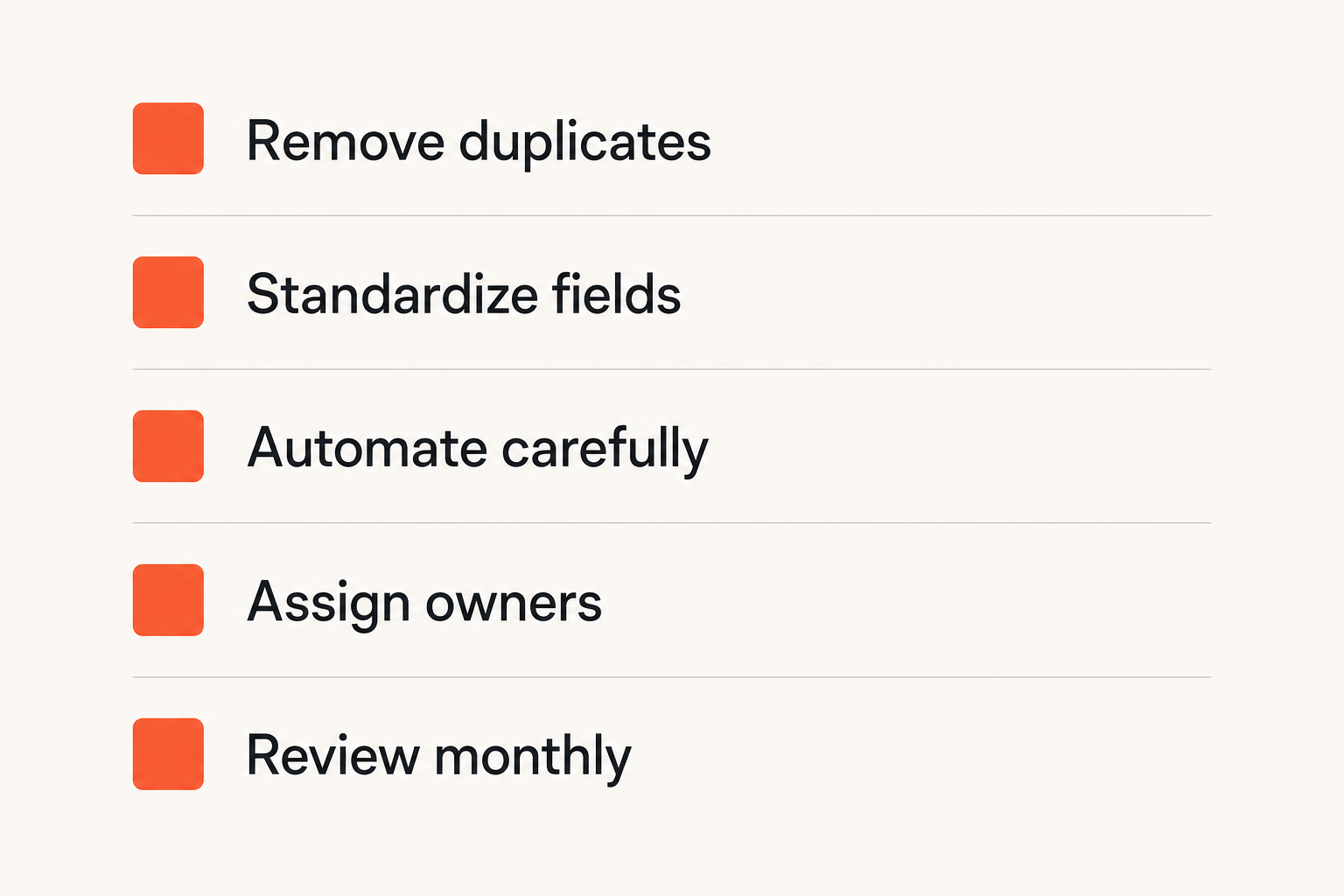
You do not always need to replace software to reduce software gore. Often, the fastest improvement is cleaning up the stack you already have.
Small teams have an advantage here. You can make decisions quickly if you stop treating software as a collection of apps and start treating it as a workflow system.
Remove redundant tools before adding new ones
The mistake teams make is adding a new tool to solve every point of friction. Sometimes that is correct. Often, it creates another place where work can disappear.
Start with a stack inventory:
- Which tools store customer data?
- Which tools store tasks?
- Which tools create approvals?
- Which tools produce reports?
- Which tools send notifications?
- Which tools are still paid for but barely used?
Then identify duplicate responsibilities. If three tools can own a task, none of them truly owns it. If two tools can define customer status, reporting will drift.
Standardize fields, names, and handoffs
A surprising amount of software gore comes from naming. Teams use status in one place, stage in another, lifecycle in a third, and type in a fourth. The software may allow it, but the workflow becomes harder to reason about.
Create a small operating dictionary:
- What is a customer?
- What is an active project?
- What does done mean?
- What does blocked mean?
- Who can approve?
- What is the source of truth for each record?
Keep it short. The goal is not bureaucracy. The goal is to stop every tool from inventing its own reality.
Automate the boring parts carefully
Automation can remove software gore or multiply it. The difference is observability and ownership.
Good automation handles boring, repeatable transitions: create a task when a form is submitted, notify finance when an approval is complete, update a status when a checklist is done, or route a request based on category.
Bad automation hides important decisions, triggers loops, overwrites human judgment, or creates records nobody owns. If automation is part of your stack cleanup, compare tools by controls, logs, and rollback paths. Our guide to workflow automation software in 2026 goes deeper on that architecture.
Buying rules for software that will age well
The best way to avoid software gore is to buy for the second year, not the first week. Most products feel best when they are empty. You need to know how they behave after real data, users, automations, permissions, and exceptions accumulate.
Ask about limits and edge cases
Ask direct questions during evaluation:
- What are the API, automation, storage, user, record, and export limits?
- What happens when a sync fails?
- Can records be merged?
- Can deleted data be restored?
- Can required fields be changed later?
- Can permissions be tested before rollout?
- Can we audit who changed a workflow rule?
- What parts require vendor support?
The answers tell you whether the vendor understands production use. A vague answer is not always disqualifying, but it is a signal.
Check admin ergonomics
Admin experience matters because admins absorb complexity. A beautiful user interface with a terrible admin panel will create internal support load.
Evaluate:
- How hard is it to add or remove users?
- Can roles be copied or templated?
- Can configurations be exported or documented?
- Can admins preview changes before applying them?
- Are automation rules searchable?
- Are inactive fields and old workflows easy to identify?
Related reading from our network: software buying also depends on positioning and internal adoption, and product teams can learn from the operator view of the product marketing manager role when explaining why a tool should exist in the stack.
Validate exports, logs, and portability
Exit paths are not pessimism. They are operational hygiene. If you cannot export your data in a useful structure, you do not fully control your workflow.
Check whether exports include IDs, timestamps, owners, statuses, comments, attachments, custom fields, and audit history. Check whether logs are accessible without enterprise pricing. Check whether API access is realistic for your team.
Practical rule: If a vendor makes it hard to leave, assume it will also be hard to clean up mistakes while you stay.
Software gore in AI, automation, and no-code tools
AI and no-code tools make software gore easier to create because they lower the cost of building surfaces. That is useful. It is also dangerous when teams confuse generated screens with durable systems.
Fast generation creates slow maintenance
A generated internal app can be helpful for a narrow workflow. It can also become a fragile layer nobody understands six months later. The form works, but the field names are inconsistent. The dashboard loads, but definitions are unclear. The automation runs, but nobody knows why.
The practical question is not whether AI can build the interface. It is whether your team can own the workflow after the interface exists.
Workflow automation needs guardrails
Automation should have the same discipline as any other system:
- Clear trigger.
- Clear owner.
- Clear input.
- Clear output.
- Error handling.
- Logs.
- Test mode.
- Rollback plan.
Without those basics, automation becomes invisible software gore. Users see weird outcomes but cannot see the rule that caused them.
AI output still needs ownership
AI features often appear as assistants, summaries, classifiers, generators, or agents. They can improve productivity, but they also introduce new questions:
- Who verifies the output?
- Where is the output stored?
- Can users correct it?
- Does correction improve future behavior?
- Can the team explain decisions made with AI assistance?
- What happens when AI output conflicts with structured data?
Do not let AI become a second source of truth. If AI helps write a customer summary, the CRM still needs owned fields. If AI drafts a project plan, the task system still needs accountable owners and due dates.
Build a software gore review habit
Avoiding software gore is not a one-time buying task. Tools change. Teams change. Workflows change. A setup that was clean last year can become painful after new hires, new products, new customers, or new reporting needs.
Monthly stack hygiene
Run a monthly review that asks:
- Which workflows created the most confusion?
- Which reports required manual cleanup?
- Which automations failed or surprised users?
- Which fields are no longer used?
- Which tools overlap too much?
- Which permissions are too broad?
- Which recurring support questions should become documentation or product changes?
Keep the meeting short. The goal is to remove friction before it becomes normal.
Incident reviews for bad workflows
When a workflow breaks, review it like a small incident. Do not only fix the record. Fix the condition that allowed the break.
Example:
- A customer onboarding task was missed.
- The team discovers the task was created in the wrong project.
- The wrong project was selected because the form showed duplicate customer names.
- Duplicate names existed because the CRM sync did not merge records.
- The sync did not merge records because nobody owned duplicate detection.
The visible problem was a missed task. The system problem was identity, ownership, and sync behavior.
Decision logs beat tribal memory
Every stack accumulates decisions: why a field exists, why an automation was created, why a tool was selected, why a workflow is different for one customer segment. If those decisions live only in memory, software gore returns when people leave or priorities shift.
Maintain a simple decision log:
- Date.
- Decision.
- Owner.
- Reason.
- Affected tools.
- Review date.
This does not need to be fancy. A shared document is enough. The point is to make software decisions auditable by humans.
Where saasrow.com fits
Software gore is a useful lens because it forces better buying questions. Instead of asking whether a tool is popular, modern, or feature-rich, you ask whether it will make work clearer or more fragile.
Use software gore as a buying lens
At saasrow.com, the goal is to help readers compare software in a grounded way: workflow fit, productivity impact, integrations, rollout effort, ownership, and practical tradeoffs. That is the opposite of ranking tools only by screenshots or feature checklists.
For SaaS buyers, the best result is not a perfect stack. It is a stack your team can understand, operate, and improve without creating hidden work.
Compare tools by operating fit
When you evaluate your next tool, bring the software gore checklist into the conversation:
- What object does this tool own?
- What states does it manage?
- What happens when data is wrong?
- How do integrations fail?
- Who administers it?
- What does reporting depend on?
- Can we leave with our data intact?
If the vendor can answer those questions clearly, you are having a real buying conversation. If the answer is mostly screenshots and feature slogans, keep digging.
Software gore will not disappear in 2026. But teams can stop treating it as a joke and start treating it as an early warning system for bad workflow architecture.
Try saasrow.com
saasrow.com is for readers who want practical articles, guides, and insights about software and productivity. Use it to choose tools more carefully and avoid software gore before it becomes operational debt.