

August 19, 2026
How to Avoid Software Tool Sprawl: A Practical Workflow Guide for SaaS and Small Business Teams
Software tool sprawl is not just a spend problem. It is a workflow, ownership, integration, and renewal problem. Here is a practical way to control the stack without slowing the team.
Most teams do not wake up one morning and decide to create a messy software stack. It happens one urgent decision at a time: a new chat tool for one project, a second task board for one department, another analytics app because the first one was too hard to use.
If you are trying to learn how to avoid software tool sprawl, the visible problem is usually the monthly bill. The deeper problem is operational drag. People stop knowing where work lives, which tool is authoritative, and whether the data in front of them can be trusted.
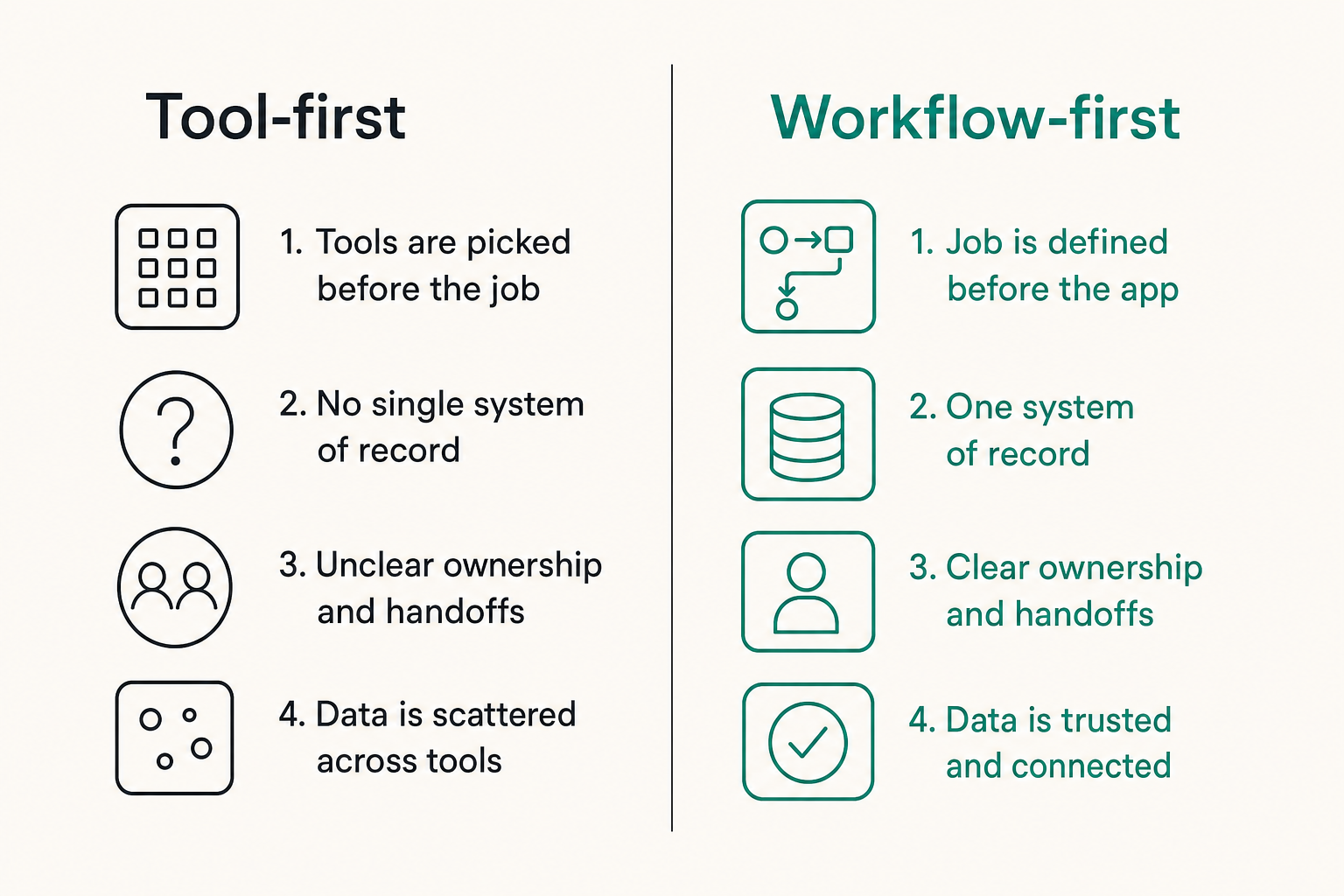
Teams think the problem is too many apps. The real problem is too many disconnected workflows with unclear ownership.
That changes the conversation. The practical question is not how do we reduce the tool count by 20 percent. The practical question is which workflows matter, which systems own them, and where the stack is creating friction instead of leverage.
Table of contents
- The real reason software tool sprawl happens
- How to avoid software tool sprawl starts with workflow ownership
- Map the work before you audit the tools
- Build a decision model for keep, replace, or consolidate
- How to avoid software tool sprawl during buying and renewal cycles
- Integration architecture matters more than app count
- Rollout rules that prevent the old stack from coming back
- Metrics that show whether the stack is getting healthier
- Common failure modes and what to do instead
- A practical 30-day workflow to reduce tool sprawl
- Where saasrow.com fits in a healthier software stack
The real reason software tool sprawl happens
Tool count is not the first symptom
Software tool sprawl starts showing up as small coordination failures. A customer note is in the CRM, but the follow-up task is in a spreadsheet. The product team tracks roadmap work in one board while customer success tracks requests somewhere else. Finance sees subscriptions that no team can confidently explain.
The mistake teams make is treating this as a purchasing cleanup. They export invoices, sort by vendor, and start asking who still uses each tool. That helps, but it is late-stage cleanup. By the time the invoice is confusing, the workflow has already drifted.
A useful way to think about it is this: every tool either owns a workflow state, moves work between states, reports on work, or distracts from work. If nobody can say which role an app plays, it is a candidate for review.
Why 2026 stacks drift faster
In 2026, many SaaS products are easier to buy, easier to trial, and easier to expense than ever. AI assistants, vertical SaaS apps, no-code builders, browser extensions, and collaboration tools all promise faster execution. Some deliver. Some create another place to check.
Small teams are especially exposed because the same person may be buyer, admin, operator, and support contact. A founder adds a tool to solve a sales problem. A marketer adds another for content planning. A support lead adds one for knowledge base drafts. None of these choices are irrational on their own.
What breaks in practice is the lack of a shared stack architecture. Without a model, the team cannot tell the difference between healthy specialization and uncontrolled duplication.
Practical rule: Do not start with a software blacklist. Start with a workflow map. The tool list only makes sense after you know what work the tools are supposed to carry.
How to avoid software tool sprawl starts with workflow ownership
Assign systems of record
The first step in how to avoid software tool sprawl is deciding which system owns which business object. A business object can be a customer, project, ticket, invoice, contract, campaign, feature request, asset, or employee record.
For each object, define one system of record. Not two. Not whichever tool the last person updated. One.
Example:
| Business object | System of record | Allowed secondary tools | Owner |
|---|---|---|---|
| Customer account | CRM | Support desk, billing platform | Revenue ops |
| Product task | Project management tool | Docs, design tool | Product lead |
| Invoice | Accounting system | CRM read-only view | Finance |
| Support ticket | Help desk | Knowledge base | Support lead |
This does not mean every team must live in one giant platform. It means the team knows where truth lives.
Define the job before choosing the app
Tools should be selected because they perform a clear job in a workflow. That sounds obvious until you inspect real stacks. Many apps are bought because they are popular, discounted, recommended by a peer, or pleasant in a demo.
Before adopting a tool, write the job in plain language:
- We need to capture inbound customer issues and assign ownership within one business day.
- We need to plan product work across engineering, design, and customer success without duplicating roadmap data.
- We need to approve marketing assets with version control and a visible audit trail.
If the job is vague, the tool evaluation will be vague. If the evaluation is vague, the rollout will depend on enthusiasm. Enthusiasm fades.
For teams comparing software categories, it helps to use a repeatable buying workflow rather than starting from vendor pages; this is where a guide like Best Software Review Sites in 2026 can make research more structured.
What fails when ownership is vague
When ownership is vague, every app becomes negotiable. Sales says the CRM is too slow, so it creates a sheet. Product says the project board is too noisy, so it creates a second board. Leadership asks for a weekly update, so someone creates a slide deck that becomes another source of truth.
The result is not just sprawl. It is decision latency. People spend time asking where the latest version is, who updated it, and whether it reflects reality.
Practical rule: If a workflow has no owner, the loudest user becomes the architect. That is rarely a good operating model.
Map the work before you audit the tools
Inventory capabilities, not logos
A conventional tool audit asks: which apps do we pay for? A better audit asks: which capabilities do we run?
Capabilities include:
- Sales pipeline management
- Customer support intake
- Project planning
- Internal documentation
- File storage
- Design review
- Contract management
- Billing and reconciliation
- Analytics and reporting
- HR onboarding
Then map each capability to the tools involved. You may discover that five apps touch project planning, but only one is meant to own the project state. You may also discover that an expensive platform is being used for one narrow feature that another existing tool already covers.
Follow the handoffs
Sprawl often hides in handoffs. A tool can look useful in isolation but create work for the next team.
Follow one real item through the system. For example, track a customer feature request:
- Customer sends request in support channel.
- Support tags it in the help desk.
- Product reviews it in a planning meeting.
- Engineering scopes it in a project board.
- Customer success wants to notify the customer when it ships.
Now ask where the request changes state. Is there a single request ID? Does the customer account connect to the product item? Does customer success know when the work moves from planned to shipped?
Related reading from our network: teams working on product operating models face similar handoff problems, and this product led growth operating system article is a useful adjacent view of ownership, activation, and feedback loops.
Find duplicate states and orphaned data
Duplicate states are workflow statuses that exist in multiple tools without synchronization. Orphaned data is information that lives in a tool but no longer affects decisions.
Examples:
- A deal is marked active in the CRM but inactive in billing.
- A project is done in the task board but still open in a leadership tracker.
- A customer request is tagged in support but never linked to product planning.
- A contract renewal date exists in procurement but not in the account plan.
These are not minor hygiene issues. They create support tickets, reporting disputes, and bad prioritization.
Build a decision model for keep, replace, or consolidate
The comparison table
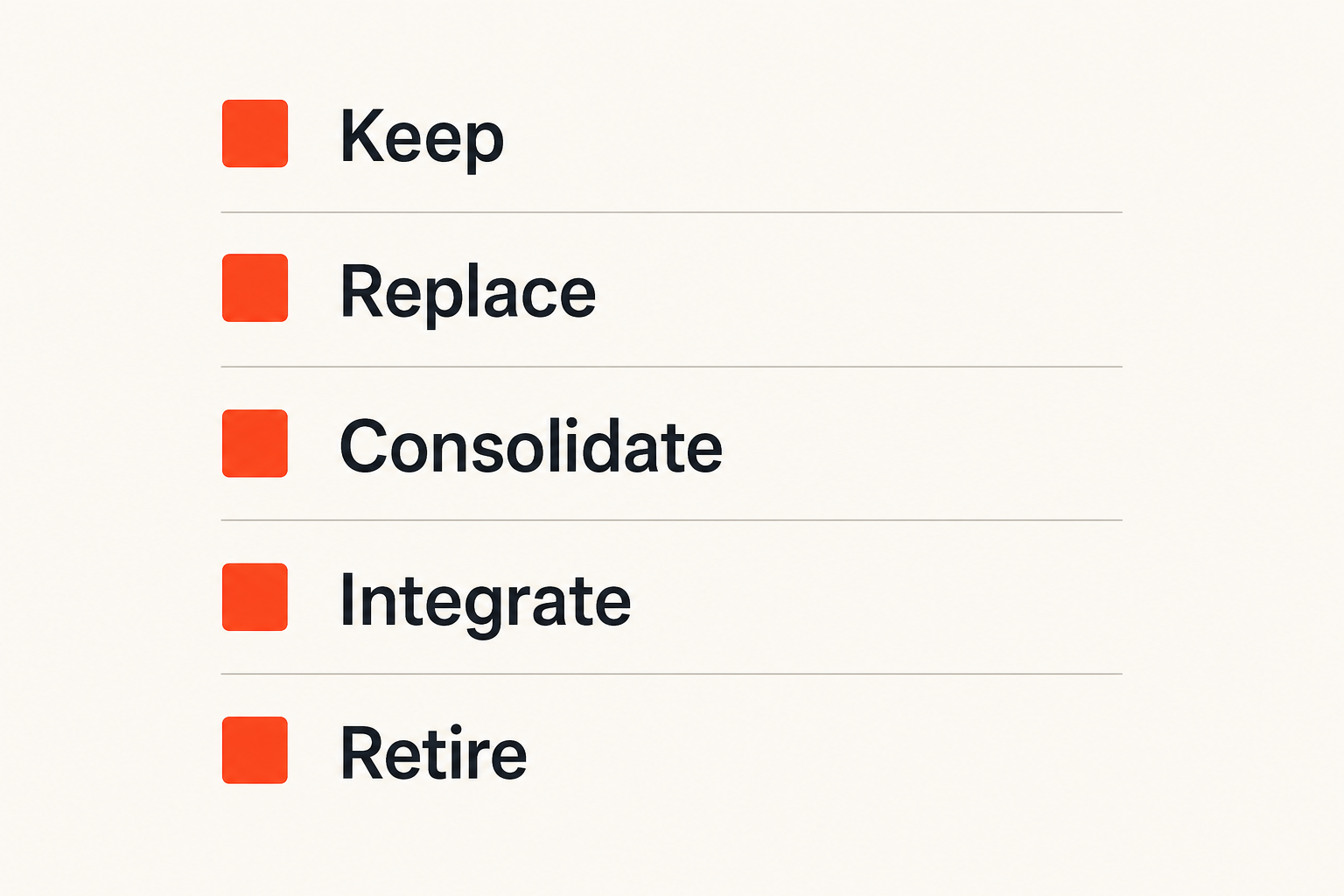
Once you understand workflows, you can make tool decisions with less politics. A simple comparison table helps because it separates personal preference from operating value.
| Decision | When it works | When it fails | Example action |
|---|---|---|---|
| Keep | Tool owns a critical workflow and adoption is healthy | Tool is loved by one person but ignored by the team | Renew and document ownership |
| Replace | Tool blocks the workflow or lacks required controls | Replacement is chosen only because it is newer | Run pilot with migration criteria |
| Consolidate | Two tools do the same job for similar users | Consolidation removes necessary specialization | Move one team and retire duplicate |
| Integrate | Tools serve different jobs but need shared data | Integration depends on manual copy-paste | Use API, native connector, or scheduled export |
| Retire | Tool has no owner, usage, or required data | Data retention is ignored | Export, archive, remove access |
The mistake teams make is assuming consolidation is always good. Sometimes a specialized design tool, support platform, or analytics product is worth keeping because it gives a team depth that a general tool cannot provide.
The consolidation scorecard
Use a scorecard when evaluating overlapping tools. Keep it short enough that teams actually use it.
Score each factor from 1 to 5:
- Workflow criticality
- Active usage by intended users
- Data quality and completeness
- Integration with systems of record
- Security and admin controls
- Ease of migration
- Vendor reliability and support
- Renewal cost and contract flexibility
A tool with high cost but high workflow criticality may stay. A cheap tool with poor ownership and duplicate data may go. Cost matters, but context matters more.
When overlap is acceptable
Some overlap is healthy. Developers may use an issue tracker while leadership views summarized milestones elsewhere. Designers may use a design platform while projects are tracked in a planning tool. Customer success may have a success platform that reads CRM data without owning the CRM.
The line is simple: overlap is acceptable when each tool has a distinct role and the state transition is clear. Overlap becomes sprawl when two tools claim to own the same truth.
Practical rule: Do not eliminate overlap blindly. Eliminate unclear ownership, duplicate state, and manual reconciliation.
How to avoid software tool sprawl during buying and renewal cycles
Put intake in front of procurement
If anyone can buy software before the workflow is reviewed, sprawl is the default outcome. You do not need a heavy enterprise procurement process, but you do need intake.
A lightweight intake form can ask:
requested_tool:
workflow_problem:
current_workaround:
existing_tools_checked:
users_impacted:
data_created_or_stored:
integration_needed:
system_of_record:
renewal_or_trial_deadline:
owner_after_purchase:
The point is not bureaucracy. The point is forcing the real conversation before the card is charged.
Use trials to test workflow fit
Most trials test whether a tool is pleasant. Better trials test whether the workflow improves.
For a project management tool, do not just create sample tasks. Run one real campaign or sprint through the trial. Test intake, assignment, dependencies, status reporting, notifications, and archive behavior. If you are evaluating Asana specifically, a workflow-first view like Asana Project Management Software in 2026 is more useful than judging the board layout alone.
A trial should answer:
- Who creates work?
- Who receives work?
- What fields are required?
- What notifications matter?
- What reports are needed?
- What happens when the work is complete?
If the trial does not include these questions, the team is not testing operations. It is testing taste.
Negotiate for exit options
Sprawl gets harder to fix when contracts trap the team. Before committing, understand data export, seat reduction, cancellation windows, API access, and admin controls.
This matters even for small teams. A tool that is easy to enter but hard to leave becomes a future migration project. If a vendor cannot clearly explain export formats, permission controls, and renewal terms, that is part of the product evaluation.
Related reading from our network: buying discipline applies outside SaaS too, and this Amazon promo code workflow shows the same operator habit of testing the real total instead of trusting the first visible offer.
Integration architecture matters more than app count
Systems of record and systems of action
A system of record stores authoritative data. A system of action helps people do work. Problems start when a system of action quietly becomes a second system of record.
For example, a support tool may be the right place to handle tickets, but the CRM may remain the account record. The support tool can display account details, but it should not become the place where account ownership is decided unless the team explicitly chooses that architecture.
This distinction is one of the cleanest ways to avoid software tool sprawl. It lets teams use specialized tools without losing truth.
Webhooks, APIs, and exports are operational features
Integrations are not technical nice-to-haves. They are operational controls. If a workflow depends on data moving between tools, then sync reliability matters as much as the user interface.
Evaluate tools for:
- Native integrations with existing systems
- API access at the pricing tier you plan to buy
- Webhook support for event-driven workflows
- Export formats for backup and migration
- Field mapping controls
- Error handling and retry visibility
- Admin logs and permission boundaries
What works is designing integrations around workflow events: deal closed, ticket escalated, invoice paid, task completed, employee onboarded. What fails is syncing everything everywhere because it feels safer.
What breaks when integrations are informal
Informal integrations usually mean spreadsheets, copy-paste, browser extensions, and one person who knows how the automation works. This can be fine for experiments. It is dangerous for core workflows.
Common breakpoints include:
- A field name changes and the report silently breaks.
- A user leaves and the automation runs under a dead account.
- A tool hits an API limit and updates stop.
- A duplicate record creates conflicting customer views.
- A sync loops and overwrites better data with worse data.
Related reading from our network: software teams see the same architecture issue in delivery pipelines, where this article on network security for CI/CD and software supply chains treats integrations, runners, webhooks, and response as one operating system.
Rollout rules that prevent the old stack from coming back
Migrate behaviors, not just data
A messy rollout is one of the fastest ways to recreate sprawl. Teams announce the new tool, import old records, and assume behavior will move. It usually does not.
People return to the old tool when the new workflow is unclear, slower, or missing a critical habit. If status updates were previously posted in chat, the new project tool must define where status now lives. If approvals were handled through email, the new workflow must make approval status visible.
Migration should include data, routines, permissions, reporting, and support paths.
Create deprecation paths
Retiring a tool is a project. Treat it like one.
A practical deprecation path includes:
- Announce the retirement reason and date.
- Freeze new work in the old tool.
- Export required records.
- Move active work to the new system.
- Archive historical data in an agreed location.
- Remove user access.
- Cancel or downgrade the subscription.
- Update onboarding documentation.
If you skip access removal, the old tool remains alive. If you skip documentation, new employees will revive the old process because it is still referenced somewhere.
Train by workflow, not by feature
Feature training creates tool experts. Workflow training creates operational consistency.
Instead of teaching every button in a project management platform, train the actual path:
- How a request enters the system
- How it is prioritized
- How ownership is assigned
- How blockers are escalated
- How completion is reported
- Where historical decisions live
For practical project workflow thinking, the companion guide Asana Project Management Software in 2026: A Practical Workflow Guide is useful even if you use another project platform, because the rollout problems are similar.
Metrics that show whether the stack is getting healthier
Track adoption by workflow
Login counts are weak signals. A person may log into a tool because they are forced to retrieve information, not because the workflow is healthy.
Better adoption metrics include:
- Percentage of new requests entering through the approved intake path
- Percentage of projects with a named owner and due date
- Time from request creation to first assignment
- Number of status updates posted in the system of record
- Number of exceptions handled outside the workflow
These metrics show whether the team is using the stack as designed.
Watch switching cost and support load
Tool sprawl creates hidden support load. People ask where things are, how to get access, which report is correct, and why two systems disagree.
Track recurring questions in chat or internal support:
- Where should I create this?
- Which tool has the latest version?
- Who owns this field?
- Why is this customer status different?
- Can someone add me to this app?
A decrease in these questions is a sign that the stack is becoming more understandable.
Review spend in context
Spend still matters. But review it by workflow, not only by vendor.
A 200 dollar monthly tool that prevents hours of manual reconciliation may be cheap. A 30 dollar monthly tool that creates duplicate records may be expensive. A large platform may be worth it if it replaces multiple disconnected processes and improves reporting.
The financial review should connect cost, ownership, usage, and operational risk. Otherwise, teams cut the visible bill and keep the invisible mess.
Common failure modes and what to do instead
Shadow IT disguised as productivity
Shadow IT is not always rebellious. Often it is a rational response to slow decisions or bad tools. Someone needs to solve a problem, so they find an app that works.
What fails is pretending this will stop through policy alone. What works is giving teams a fast path to request tools, test workflows, and get decisions.
Create a software intake lane with clear service levels. For example, low-risk tools get a response in three business days. Tools handling customer, financial, or employee data get a deeper review. This respects speed without ignoring risk.
Consolidation without process design
Another common failure mode is the executive consolidation push. The team chooses one suite and tells everyone to move. Sometimes that is right. Often it just moves the mess into a larger platform.
If the old workflows were unclear, the new suite will not fix them automatically. You will end up with too many workspaces, duplicated fields, inconsistent permissions, and reports nobody trusts.
What works is designing the process first, then configuring the suite to support it. A platform is not an operating model.
Over-centralization that slows teams down
The opposite failure is over-centralization. Every tool request needs approval from a committee. Every workflow must fit one platform. Every exception is treated as a threat.
This creates workarounds. High-performing teams need some room to choose specialized tools. The governance model should protect shared data and critical workflows while allowing local productivity where the risk is low.
Practical rule: Centralize truth and governance. Decentralize execution where the workflow is local and the risk is contained.
A practical 30-day workflow to reduce tool sprawl
Week 1: create the stack map
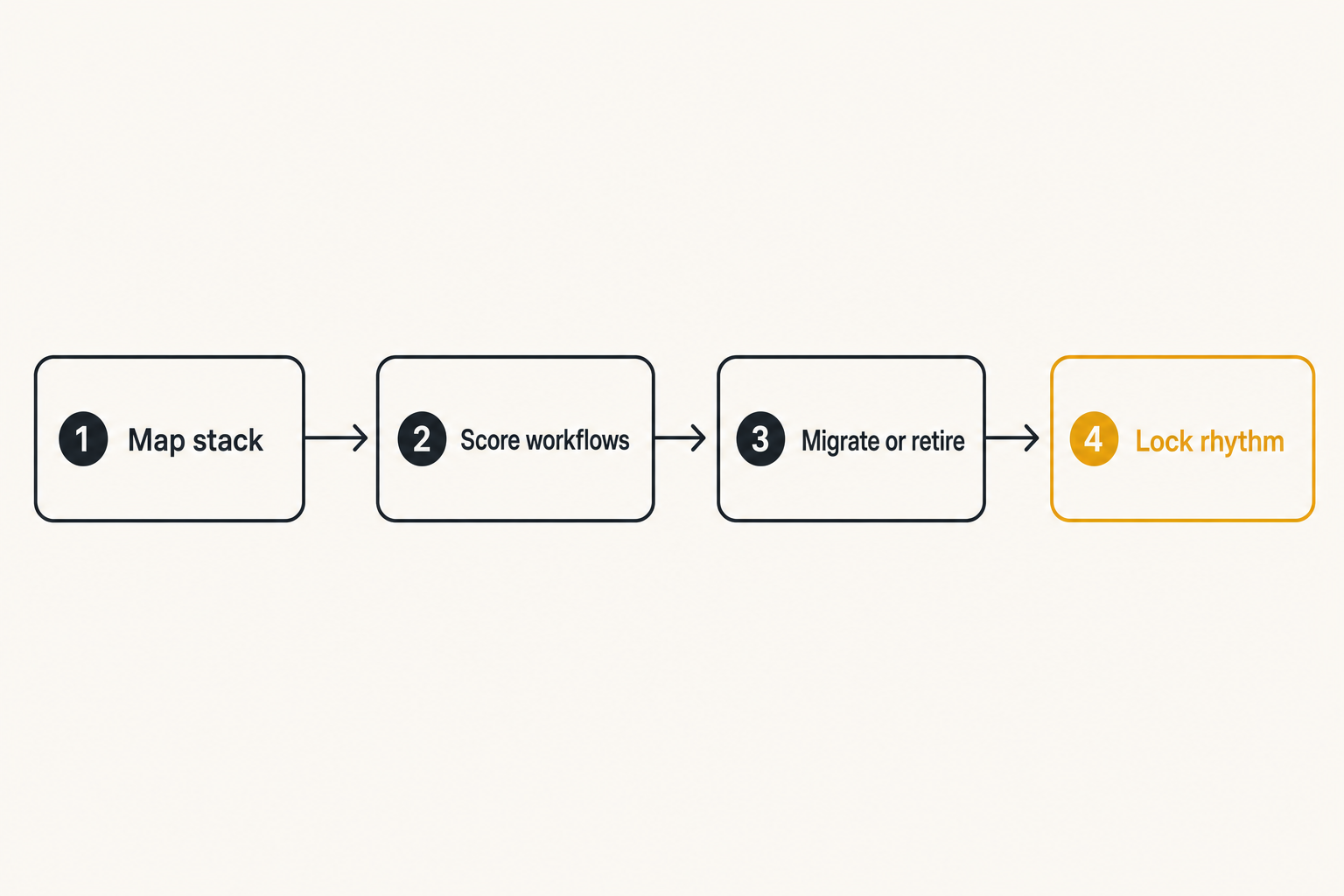
Start with a clear inventory, but do not stop at vendor names. Build a simple table with tool, owner, users, cost, workflow, data stored, integrations, renewal date, and risk level.
Numbered workflow for the first week:
- Export subscriptions from finance or card statements.
- Ask team leads for tools used outside finance visibility.
- Group tools by capability.
- Mark the system of record for each business object.
- Flag unknown owners and duplicate capabilities.
The output is not a perfect CMDB. It is a practical map that lets you have better conversations.
Week 2: score the highest-friction workflows
Pick three workflows that create the most confusion. Common candidates are customer handoff, project planning, reporting, onboarding, and renewal management.
For each workflow, score:
- Number of tools involved
- Number of manual handoffs
- Number of duplicate fields
- Time to find current status
- Number of teams affected
- Risk if the data is wrong
Do not start with the easiest cleanup. Start with the workflow where sprawl hurts execution.
Week 3: decide, migrate, or retire
Use the scorecard to make decisions. Each overlapping tool should get one of four outcomes: keep, integrate, migrate, or retire.
For every retirement, assign a closeout owner. For every migration, define acceptance criteria. For every integration, define the system of record and failure behavior. For every tool you keep, document why it exists.
This is where many teams lose discipline. They hold a review, agree in principle, and then nobody owns the cleanup. Put decisions into a tracker with dates.
Week 4: lock the operating rhythm
The last week is about preventing regression.
Create a monthly stack review for new requests and upcoming renewals. Create a quarterly workflow review for the highest-impact processes. Add tool ownership to onboarding and offboarding. Make sure every major app has an admin, backup admin, and documented purpose.
The practical question is not whether the stack will change. It will. The question is whether change enters through a controlled workflow or through random accumulation.
Where saasrow.com fits in a healthier software stack
Use comparison research before the demo
A healthier software stack depends on better buying behavior. Demos are useful, but they are vendor-controlled environments. Review sites, comparison articles, workflow guides, and operator notes help teams ask better questions before they enter the sales process.
saasrow.com is built for readers who want practical articles, guides, and insights about software and productivity. The fit is not that one article can choose your stack for you. The fit is helping you compare tools with clearer criteria and avoid buying software because the demo looked clean.
Build a shared language for tool fit
The best teams develop a shared language for software decisions. They talk about systems of record, workflow ownership, integration reliability, adoption, exit paths, and support load. That language makes buying less emotional and cleanup less political.
If you are serious about how to avoid software tool sprawl, make software evaluation part of operations. Review tools before purchase, during rollout, at renewal, and after workflows change. The stack should serve the work, not become the work.
Try saasrow.com
saasrow.com publishes practical articles, guides, and insights about software and productivity for teams that want to choose tools wisely and improve workflows. Try saasrow.com and build a cleaner way to compare software before the next tool enters your stack.