
August 6, 2026
monday.com vs ClickUp in 2026: A Practical Workflow Guide for SaaS Buyers
A practical 2026 monday.com vs ClickUp guide for SaaS buyers and small teams choosing project management software by workflow, not feature lists.
Teams rarely struggle because they cannot find another task management tool. They struggle because work is scattered across chat, spreadsheets, docs, tickets, meetings, and personal notes. Then someone asks the obvious question: monday.com vs clickup, which one should we buy?
Teams think the problem is choosing the tool with the longer feature list. The real problem is choosing the operating model your team can actually maintain after the rollout excitement disappears.
That changes the conversation. monday.com and ClickUp are not just project management apps. They shape how requests enter the system, how ownership is assigned, how status is trusted, how managers inspect work, and how teams avoid rebuilding the same process in five places.
The practical question is not which product looks better in a demo. It is which one makes your real workflow easier to run in 2026 without creating a second job called managing the tool.
Table of contents
- monday.com vs clickup in 2026: the real decision
- Start with your workflow architecture
- monday.com vs clickup: core strengths and tradeoffs
- Usability and adoption are not soft issues
- Automation, integrations, and the hidden maintenance cost
- Reporting, dashboards, and operational truth
- Pricing and packaging: what buyers should actually inspect
- Implementation workflow for a clean evaluation
- Common failure modes when teams choose badly
- Which teams should choose monday.com or ClickUp
- How saasrow.com fits into the buying workflow
monday.com vs clickup in 2026: the real decision
The monday.com vs clickup debate usually starts in the wrong place. Someone opens a pricing page, someone else opens a review site, and the team begins collecting opinions. After two hours, the discussion becomes a list of features: views, dashboards, automations, docs, forms, timelines, goals, dependencies, workloads, AI add-ons, and integrations.
That is not useless, but it is incomplete. A project management system is only valuable if people trust it enough to use it as the source of truth. If half the team still asks for status in Slack and the other half updates tasks every Friday afternoon, the tool did not solve the problem. It only added a new place to maintain.
The decision is really about operating style
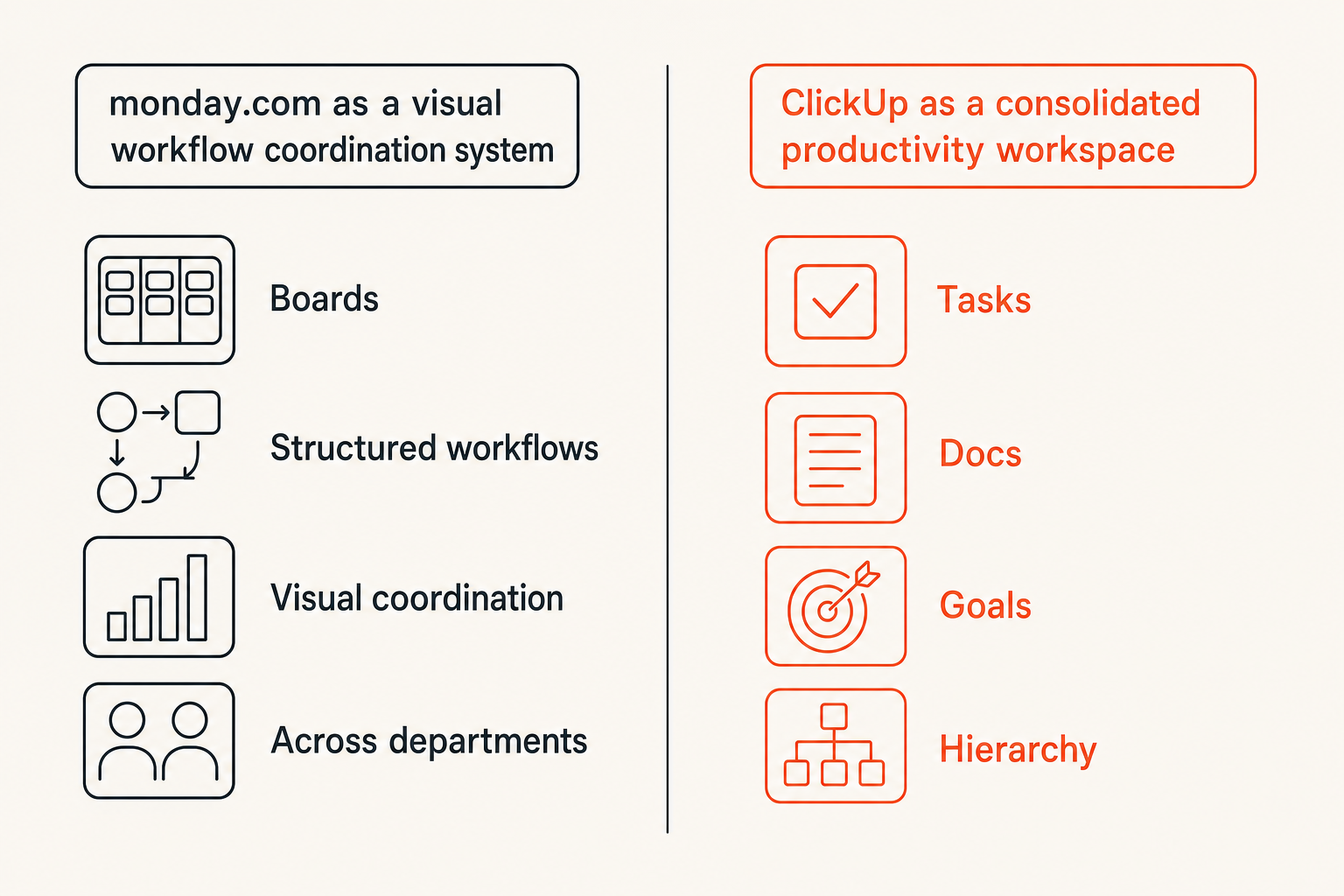
A useful way to think about it is this: monday.com often feels like a configurable work operating layer built around boards, structured workflows, and visual coordination. ClickUp often feels like an all-in-one productivity workspace built around tasks, docs, hierarchy, and consolidation.
That difference matters. If your team needs a clean way to coordinate repeatable workflows across departments, monday.com may feel more natural. If your team wants to pull tasks, docs, goals, whiteboards, sprint work, and notes into one dense workspace, ClickUp may feel more attractive.
Neither direction is automatically better. The practical question is which operating style your team will maintain without constant cleanup.
Practical rule: Do not buy the tool that has the most features. Buy the tool whose default structure most closely matches how your team already needs to manage work.
Where feature comparisons mislead buyers
Feature grids make monday.com and ClickUp look more similar than they feel in production. Both can manage tasks. Both can support multiple views. Both can automate work. Both can integrate with other systems. Both can serve marketing, operations, product, client services, and internal teams.
What breaks in practice is not feature availability. It is feature governance. Who creates workspaces? Who names statuses? Who owns templates? Who decides when a custom field is allowed? Who audits automations after six months?
If those questions sound boring, that is the point. Productivity software succeeds or fails in the boring layer.
Start with your workflow architecture
Before you compare monday.com vs clickup, map the workflow you are actually trying to improve. This is where many SaaS buying processes go sideways. Teams evaluate the tool in isolation instead of evaluating the system around the tool.
If you are choosing more broadly across tools, it is worth framing this decision the same way you would choose the best productivity software for small business: by workflow, integrations, ownership, rollout fit, and operating cost.
Map the work before comparing plans
Start with five basic questions:
- Where does new work enter the system?
- Who is allowed to create or approve work?
- What status changes actually matter?
- Which handoffs create delays or rework?
- What reporting does leadership need without asking the team for manual updates?
This does not need to become a consulting project. A simple workflow map is enough. Draw the path from request to completion. Include intake, triage, assignment, execution, review, approval, delivery, and reporting.
The mistake teams make is assuming the tool will define the workflow for them. It will not. It will amplify the workflow you bring into it. If the workflow is unclear, monday.com can become a board sprawl problem and ClickUp can become a hierarchy sprawl problem.
Separate execution work from management work
Execution work is what the team does: write copy, fix bugs, contact customers, prepare invoices, design pages, ship campaigns, update product specs. Management work is how that execution is planned, tracked, reviewed, escalated, and reported.
Good software reduces the gap between the two. Bad implementation widens it. If individual contributors feel they are updating a system only so managers can inspect it, adoption drops. If managers cannot trust the system, they return to meetings and status pings.
For monday.com, this means designing boards and automations around real handoffs. For ClickUp, it means designing spaces, folders, lists, tasks, docs, and custom fields so the workspace does not become a maze.
Practical rule: If the tool makes work visible but does not reduce follow-up conversations, the workflow is still broken.
monday.com vs clickup: core strengths and tradeoffs
The useful comparison is not good tool versus bad tool. It is structured coordination versus workspace consolidation. That is the frame that helps buyers decide.
Where monday.com tends to fit
monday.com tends to work well when teams need visual process management. Think campaign calendars, client onboarding, content operations, creative production, sales handoffs, recruiting pipelines, implementation tracking, and cross-functional operating boards.
Its strength is that non-technical users can often understand the shape of the work quickly. Boards, columns, statuses, owners, timelines, and automations make work visible. For operations-heavy teams, that clarity matters.
The risk is over-building. monday.com can invite teams to create a board for everything. Without naming rules and ownership, the workspace can become visually clean but operationally fragmented.
Where ClickUp tends to fit
ClickUp tends to work well when teams want a central workspace for many kinds of productivity work. It can combine task management, docs, sprint planning, goals, dashboards, forms, whiteboards, and more into one system.
This is useful for small teams that want to reduce tool count. It is also useful for teams that like detailed hierarchy and want multiple ways to slice work. Product, engineering-adjacent, agency, and internal operations teams often appreciate that flexibility.
The risk is density. ClickUp gives teams many ways to model work. If no one owns the structure, people may create overlapping spaces, duplicate fields, inconsistent statuses, and dashboards that are impressive but not trusted.
A practical comparison table
| Decision area | monday.com tends to be stronger when | ClickUp tends to be stronger when |
|---|---|---|
| Workflow style | Work is process-heavy and visual | Work is task-heavy and content-heavy |
| Team adoption | Users need simple boards and clear status | Users are comfortable with deeper hierarchy |
| Cross-functional work | Departments need shared operating boards | Teams want one workspace for many work types |
| Documentation | Docs are useful but not the center | Docs and tasks need to live close together |
| Customization | You want structured fields and board workflows | You want granular workspace configuration |
| Risk profile | Board sprawl and disconnected processes | Feature sprawl and workspace complexity |
| Best buying lens | Coordination system | Consolidated productivity system |
Related reading from our network: teams managing launches face a similar structure problem, and this guide to product catalog architecture for software launches is useful if your project tool must support product, marketing, and go-to-market handoffs.
Usability and adoption are not soft issues
Usability is not a preference layer. It is an operating constraint. The best project management tool on paper fails if the team avoids it when work gets busy.
The first week tells you a lot
During the first week of a pilot, watch behavior more than opinions. Are people creating tasks correctly? Are they updating statuses without reminders? Are they using comments instead of side-channel messages? Are managers checking dashboards instead of asking for updates?
If monday.com feels easier for casual users to understand, that may reduce rollout friction. If ClickUp feels more complete for power users, that may reduce tool switching. Both are valid, but they solve different adoption problems.
Do not ask only which interface people like. Ask which tool changes the fewest habits while improving the most important ones.
The mistake teams make during rollout
The mistake teams make is rolling out every feature because the product supports it. New tool, new views, new automations, new templates, new dashboards, new naming conventions, new notifications, and new reporting all at once.
That is how teams turn productivity software into software gore. If you want a deeper lens for spotting broken SaaS workflows before rollout, this guide to software gore and workflow debt is directly relevant.
Start smaller. Pick one workflow with visible pain. Build it cleanly. Decide what good usage looks like. Then expand.
Practical rule: Roll out the smallest workflow that proves the tool can become the source of truth. Expansion is easier than cleanup.
Automation, integrations, and the hidden maintenance cost
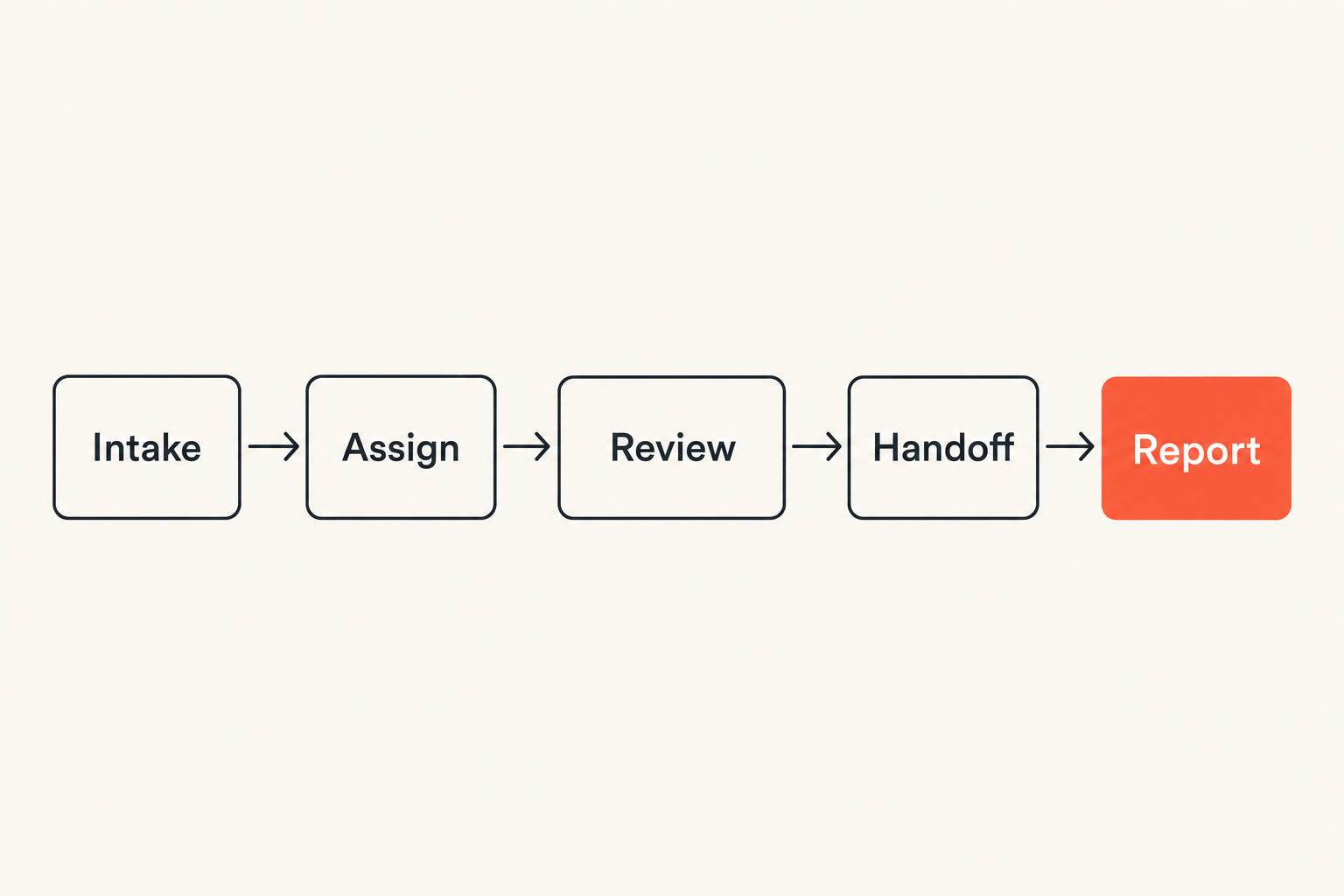
Automation is where monday.com vs clickup can look deceptively simple. Both platforms can automate assignments, notifications, status changes, due dates, dependencies, reminders, and integrations. That does not mean every automation should exist.
Automations should remove handoffs, not hide them
A good automation removes a repetitive step or makes a handoff more reliable. For example, when a request form is submitted, create an item, assign an owner, set a review date, and notify the right channel. That is useful because it standardizes intake.
A bad automation hides unclear ownership. For example, when a status changes, notify five people, update three fields, move a task, trigger another tool, and create a follow-up item that no one expects. The workflow looks automated, but no one understands what happened.
In monday.com, automation is often approachable for business users, which is valuable. In ClickUp, automation can fit into a broader workspace model, which is valuable. In both cases, the maintenance burden is real.
Integration fit matters more than integration count
Most teams do not need hundreds of integrations. They need a handful to work reliably: calendar, email, chat, file storage, CRM, support desk, development tracker, finance tool, or time tracking system.
The practical question is whether the integration supports the workflow boundary. If sales closes a deal, does implementation work get created correctly? If a support issue becomes a product task, is context preserved? If time is logged, can managers review profitability or capacity without exporting spreadsheets?
For teams comparing project management with utilization or billing workflows, the same operating lens applies to time tracking software in 2026: timers are easy; approvals, reporting, privacy, and reconciliation are the real work.
Related reading from our network: remote and hybrid teams face the same handoff problem, and this guide on remote work workflow in 2026 is a useful adjacent read when your tool decision affects async collaboration.
Reporting, dashboards, and operational truth
Dashboards are often sold as the reward for implementing project management software. In reality, dashboards are only as good as the behavior and data model underneath them.
Dashboards fail when the inputs are unclear
If statuses are inconsistent, owners are missing, due dates are aspirational, and custom fields mean different things across teams, a dashboard becomes a decorative layer. It may look executive-friendly, but it will not be trusted.
monday.com can make operational reporting approachable because boards are naturally structured. ClickUp can make reporting powerful because work can be modeled across multiple levels. The tradeoff is that reporting power increases the need for governance.
Before building dashboards, define the inputs:
- What does done mean?
- What does blocked mean?
- Who owns the next action?
- Which dates are commitments versus estimates?
- Which fields are required before work can move forward?
Different teams need different levels of reporting
Small teams often need simple reporting: what is late, what is blocked, what is next, and who owns it. Larger teams may need capacity, cycle time, campaign performance, client delivery status, sprint progress, budget burn, or portfolio reporting.
Do not overbuild reporting for a team that has not stabilized task hygiene. Dashboards should follow operational maturity, not lead it.
A useful scorecard for reporting readiness looks like this:
| Reporting input | Weak signal | Strong signal |
|---|---|---|
| Status | Updated only before meetings | Updated as work changes |
| Ownership | Shared or unclear | One accountable owner |
| Dates | Used as reminders | Used as commitments |
| Comments | Context lives in chat | Decisions captured in task |
| Fields | Optional and inconsistent | Required where they affect reporting |
Practical rule: If a dashboard creates more questions than decisions, fix the workflow inputs before adding more charts.
Pricing and packaging: what buyers should actually inspect
The visible price is only part of the buying decision. Packaging, limits, permissions, automation volume, guest access, reporting depth, storage, integrations, and admin controls can all change the real cost.
Do not compare only the monthly seat price
Seat price matters, especially for small businesses. But the cheapest plan may be expensive if it forces workarounds. The more expensive plan may be reasonable if it replaces multiple tools and reduces manual reporting.
When comparing monday.com vs clickup pricing, inspect the plan level that supports your actual workflow. Do not price the starter plan if the workflow needs advanced permissions, dashboards, dependencies, time tracking, forms, workload views, or meaningful automations.
Ask these questions:
- Which features are required for the pilot workflow?
- Which features become required after expansion?
- Are guests, clients, contractors, or external reviewers included?
- Are automation or integration limits likely to matter?
- Which admin controls are needed to prevent workspace sprawl?
Model the cost of complexity
Complexity has a cost even when the software subscription is affordable. Someone has to maintain templates, permissions, automations, dashboards, onboarding docs, naming rules, and archive policies.
That person may be an operations lead, founder, project manager, department head, or power user. If you do not name that owner, the system decays.
The more flexible the tool, the more important governance becomes. ClickUp flexibility can be a major advantage when owned well. monday.com structure can be a major advantage when workflows are standardized. Both can become messy when no one is accountable.
Implementation workflow for a clean evaluation
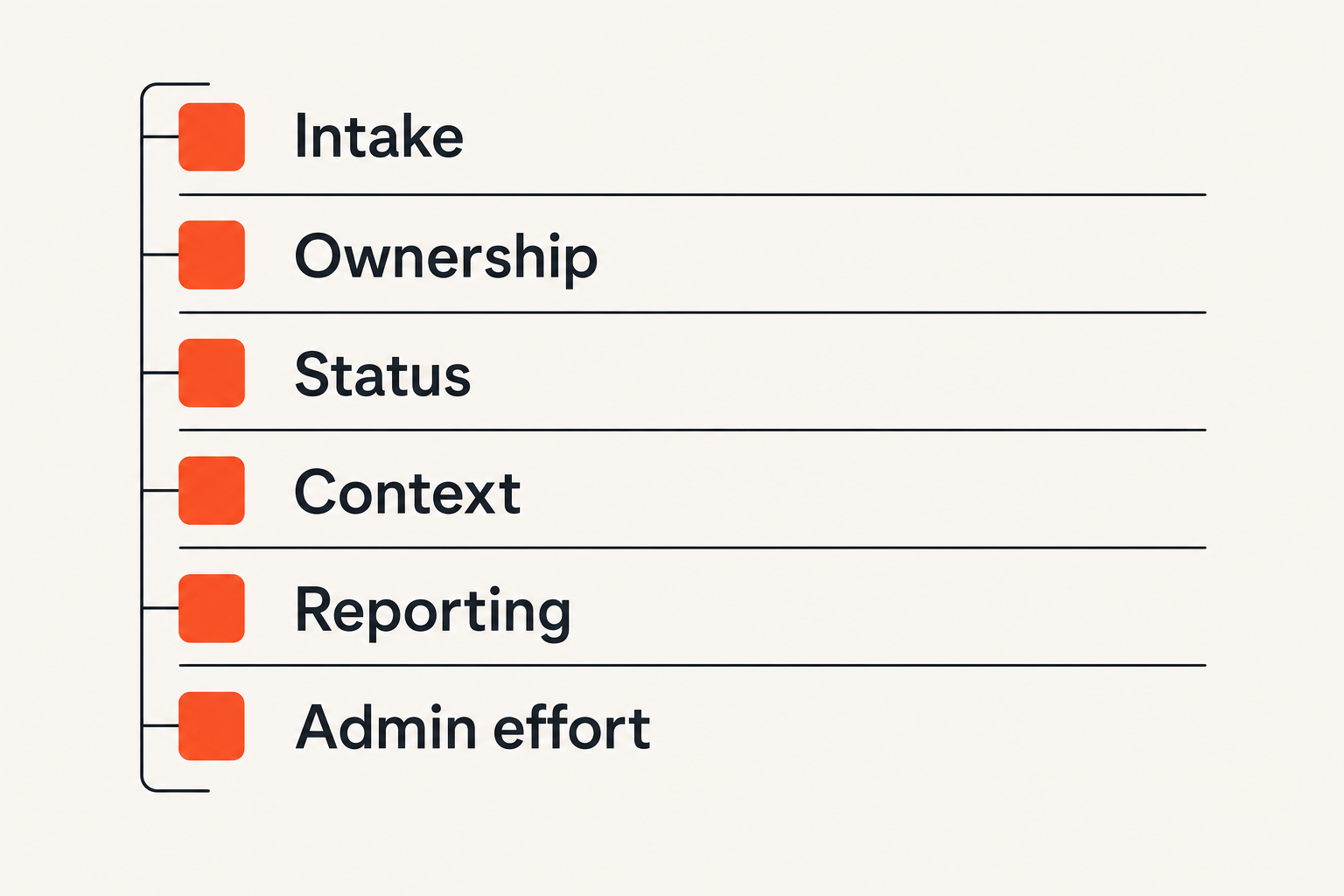
A clean evaluation beats a long debate. Instead of asking everyone which tool they prefer, run monday.com and ClickUp through the same workflow test.
Run a two-week proof of workflow
Use a proof of workflow, not a proof of concept. A proof of concept asks whether the software can do something. A proof of workflow asks whether your team can run real work through it with less friction.
A practical sequence:
- Pick one workflow with visible pain, such as client onboarding, content production, bug triage, campaign planning, or internal requests.
- Define the intake method, required fields, status path, ownership rules, review steps, and reporting needs.
- Build the workflow in monday.com and ClickUp with the smallest viable configuration.
- Run real work through both tools for a limited period, or split the pilot across comparable teams.
- Track where people ask for clarification, leave the tool, duplicate work, or fail to update status.
- Review adoption, reporting accuracy, admin effort, and manager trust.
- Choose the tool that produced the cleanest operating behavior, not the best demo reaction.
This sequence prevents the common trap where the most enthusiastic power user wins the buying decision while the rest of the team quietly avoids the system.
Score the tools against failure points
Create a simple scorecard. Do not overcomplicate it. The goal is to surface operational fit.
| Evaluation area | Question to score | Why it matters |
|---|---|---|
| Intake | Can requests enter consistently? | Prevents scattered work |
| Ownership | Is the next owner always clear? | Reduces follow-up pings |
| Status | Can anyone understand progress? | Builds trust |
| Context | Are decisions captured near the work? | Reduces rework |
| Reporting | Can managers inspect without meetings? | Saves coordination time |
| Admin effort | Can the system be maintained? | Prevents decay |
| Expansion | Can other workflows be added cleanly? | Supports scale |
Give each category a 1 to 5 score after the pilot. Require notes for low scores. The notes are more important than the number.
Related reading from our network: if your SaaS buying process includes engineering or DevOps teams, this adjacent guide on security awareness training for CI/CD and software supply chain teams is a reminder that workflow tools only work when behavior changes inside the operating process.
Common failure modes when teams choose badly
Buying the wrong tool is not always catastrophic. More often, teams buy a capable tool and implement it in a way that creates quiet drag.
What breaks with monday.com implementations
monday.com can break when every team creates boards independently. At first, that feels empowering. Then leadership asks for a cross-functional view and discovers that every board uses different statuses, fields, owners, and date logic.
Common failure modes include:
- Too many boards with no workspace architecture
- Status labels that look similar but mean different things
- Automations that notify people without clarifying ownership
- Dashboards built across inconsistent data
- Forms that collect requests no one triages
- External guests invited without permission rules
What works is a small set of reusable board patterns, clear field definitions, and named board owners. monday.com is strongest when the visual workflow is easy to understand and hard to misuse.
What breaks with ClickUp implementations
ClickUp can break when teams try to use every capability at once. Spaces, folders, lists, tasks, subtasks, docs, goals, custom fields, dashboards, whiteboards, and views can create a powerful workspace. They can also create an information architecture problem.
Common failure modes include:
- Too many hierarchy levels for simple work
- Duplicate places to store the same context
- Custom fields created without standards
- Tasks used as docs and docs used as tasks
- Notifications becoming noisy
- Dashboards pulling from inconsistent structures
What works is a clear workspace model. Decide what belongs in a space, folder, list, task, subtask, and doc. ClickUp is strongest when flexibility is governed, not when everyone configures their own version of productivity.
Which teams should choose monday.com or ClickUp
The final monday.com vs clickup decision should come down to your bottleneck. Different bottlenecks require different systems.
Choose monday.com when coordination is the bottleneck
Choose monday.com when the main problem is coordinating work across people, departments, clients, or repeatable processes. It is a strong fit when the team benefits from visual boards, structured status movement, forms, clear ownership, and operational dashboards.
Good-fit examples include:
- Marketing production workflows
- Client onboarding and implementation
- Recruiting and HR processes
- Operations request management
- Event planning and campaign calendars
- Cross-functional executive visibility
The common pattern is that work moves through a process and multiple people need shared visibility. monday.com helps when the board itself becomes the operating surface.
Choose ClickUp when consolidation is the bottleneck
Choose ClickUp when the main problem is that work lives across too many tools. It is a strong fit when teams want tasks, docs, goals, dashboards, forms, and planning in one workspace.
Good-fit examples include:
- Small teams reducing tool sprawl
- Product and engineering-adjacent planning
- Agencies managing tasks and documentation together
- Founders centralizing operating work
- Teams that need granular views and hierarchy
- Power users who want deep customization
The common pattern is that context and execution need to live close together. ClickUp helps when the workspace becomes the central productivity layer.
Practical rule: If your team needs process clarity, lean toward the tool that simplifies coordination. If your team needs tool consolidation, lean toward the tool that centralizes context.
How saasrow.com fits into the buying workflow
Software comparisons are most useful when they help teams make operating decisions. A good monday.com vs clickup comparison should not end with a universal winner. It should help you identify your workflow shape, rollout risk, governance needs, and adoption path.
Use comparisons as operating decisions
At saasrow.com, the goal is practical software guidance for people who need to choose tools wisely, not chase every new feature release. That matters because most SaaS mistakes are not caused by buying obviously bad software. They are caused by buying good software for the wrong workflow.
Use this comparison as a buying checklist:
- If the team needs visual coordination and process consistency, test monday.com first.
- If the team needs one dense workspace for tasks, docs, and planning, test ClickUp first.
- If both seem viable, run a two-week proof of workflow.
- If neither produces trusted status, fix the workflow design before buying more seats.
- If adoption depends on one power user, slow down and simplify.
The closing answer to monday.com vs clickup is operational fit. Choose the system your team will keep clean when work gets busy.
Try saasrow.com
saasrow.com is for readers who want practical articles, guides, and insights about software and productivity. For more grounded software comparisons and workflow-focused buying advice, Try saasrow.com.