

July 7, 2026
TurboTax Software in 2026: The Practical Workflow Guide for Small Business Teams
TurboTax software is not just a filing screen. Use this guide to design the records, ownership, review, security, and handoff workflow around it.
Most teams do not get stuck because they cannot click through turbotax software. They get stuck because the numbers are scattered across bank accounts, payroll tools, spreadsheets, contractor forms, receipt folders, and one founder's memory.
Teams think the problem is choosing tax software. The real problem is building a tax workflow that survives deadlines, missing records, ownership gaps, and last-minute review.
That changes the conversation. TurboTax software can be useful, but only if the business knows what it expects the software to do, what it should never be responsible for, and when a human professional needs to step in.
The practical question is not whether TurboTax has enough screens. The practical question is whether your team has enough structure around records, approvals, reconciliation, filing decisions, and post-filing evidence.
Table of contents
- Why turbotax software is a workflow decision in 2026
- Map the tax workflow before choosing turbotax software
- Compare turbotax software options by operating model
- Build the data layer: records, categories, and evidence
- Design integrations around exports, not wishes
- Run tax preparation as a repeatable workflow
- What breaks when teams implement turbotax software badly
- Security, privacy, and access control
- Pricing, ROI, and switching cost
- Where saasrow.com fits in software buying
Why turbotax software is a workflow decision in 2026

Tax work is now cross-functional, not seasonal
For many small business teams, tax work used to be a year-end cleanup exercise. Export a few reports, answer a few questions, file, and move on. That model does not hold well when revenue comes from subscriptions, contractors work across states, founders mix reimbursable expenses with personal cards, and SaaS tools create their own invoice records.
TurboTax software sits at the end of that chain. It does not magically make the chain clean. If the upstream workflow is weak, the filing workflow becomes a detective project.
The mistake teams make is waiting until filing season to decide how tax information will move. By then, the business is not designing a system. It is recovering from a year of incomplete habits.
Practical rule: Treat tax preparation as a quarterly operating workflow, not an annual software task.
The UI is not the control system
A tax product can guide inputs, explain categories, and generate a return. That is useful. But the interface is not the control system for your business.
The control system is the combination of:
- who owns each financial source
- how expenses are categorized
- where receipts are stored
- how payroll and contractor records are verified
- who approves final assumptions
- what gets archived after filing
A useful way to think about it is this: TurboTax can be the filing workspace, but your operating system is everything that feeds it.
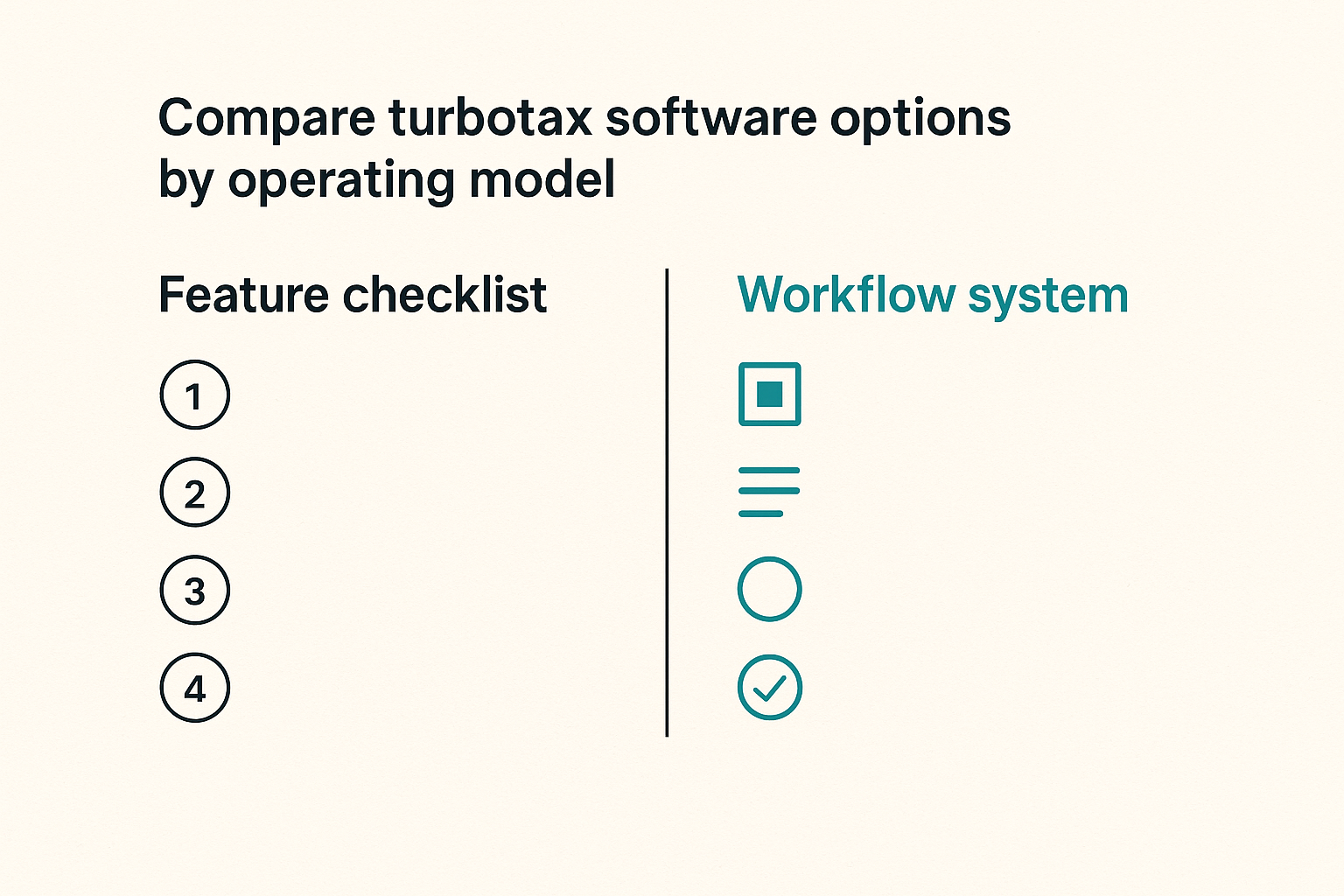
That is why a generic feature checklist is not enough. Small business teams need to know whether turbotax software fits their workflow shape. A solo consultant, a two-founder SaaS company, and a ten-person agency may all use tax software differently.
When TurboTax is a fit
TurboTax software is usually a better fit when the business has relatively understandable finances, clear ownership, and a team comfortable answering guided tax questions. It can also work when a self-employed owner wants structure without immediately moving every task to a CPA.
It becomes less comfortable when the company has complex entity structures, multi-state payroll uncertainty, international tax questions, investor reporting requirements, unusual equity events, or unclear bookkeeping.
This is not a knock on the product. It is an architecture boundary. Every tool has one.
If you want a deeper companion view focused specifically on small business filing operations, saasrow.com has a prior guide to turbotax software workflow planning in 2026 that pairs well with this article.
Map the tax workflow before choosing turbotax software
Inputs, owners, and due dates
Before comparing editions, build an input map. Most tax delays come from unknown sources, not difficult math.
Start with a simple inventory:
- business bank accounts
- business credit cards
- payment processors
- payroll system
- contractor payment tools
- accounting software
- revenue systems
- mileage logs
- asset purchases
- insurance and benefits records
- prior-year return
- estimated tax payments
Then assign each source an owner. Not a department. A person.
The practical question is: if the tax workflow stops on March 5, who knows which record is missing and who has permission to retrieve it?
A simple operating table helps:
| Source | Owner | Frequency checked | Export format | Filing relevance |
|---|---|---|---|---|
| Bank account | Operations | Monthly | CSV or accounting sync | Income and expenses |
| Payroll | Finance lead | Quarterly | payroll reports | Wages and tax forms |
| Contractor payments | Founder or ops | Monthly | 1099 reports | Vendor reporting |
| Receipts | Everyone spending | Weekly | PDF or image | Deduction support |
| Prior return | Owner | Annual | Carryovers and context |
Personal, self-employed, and small business boundaries
One reason turbotax software feels confusing is that different users mean different things by business taxes.
A freelancer may be filing a personal return with Schedule C. A single-member LLC may still be treated similarly for federal filing purposes. A corporation may need a different workflow entirely. A founder may have both employee wages and side income. A household may have investments, mortgage interest, and business expenses in the same filing season.
The software selection should follow the filing reality, not the brand name on the company bank account.
Practical rule: Decide the tax boundary before choosing the product tier. Entity type, filing obligations, and bookkeeping maturity matter more than the label small business.
This is also where software buyers should be careful with advice from peers. A tool that worked for another founder may have worked because their structure was simpler, their records were cleaner, or their accountant handled the hard parts behind the scenes.
The minimum viable tax system
A minimum viable tax system is not complicated. It is the smallest workflow that prevents panic.
It should include:
- one place for source documents
- one accounting or categorization source of truth
- one owner for tax readiness
- one monthly reconciliation habit
- one quarterly estimate review
- one filing decision date
- one archive folder for filed returns and supporting evidence
This is where SaaS buying discipline helps. The same thinking used to evaluate product and workflow tools applies here: do not buy around an undefined process. If you are comparing broader software operating decisions, the saasrow.com guide to pivotal software workflow evaluation makes the same point in a different context.
Compare turbotax software options by operating model
DIY filing
DIY filing works when the owner understands the business records and accepts responsibility for the final return. It is often attractive for cost control and speed.
What works:
- simple income and expense patterns
- clean bookkeeping
- few edge cases
- owner has time to review details
- prior-year return is available
What fails:
- guessing categories under deadline pressure
- skipping reconciliation
- relying on memory for deductions
- ignoring state or local complexity
- assuming software guidance replaces judgment
The mistake teams make is treating DIY as no process. DIY only works when the process is disciplined.
Assisted filing
Assisted filing adds access to help, review, or expert guidance depending on the product and service level. For many small business owners, this is the useful middle ground.
The value is not just answering a question. The value is reducing uncertainty around assumptions. If the owner is unsure whether an expense category is correct, whether a form is missing, or whether a situation has tax consequences, assistance can shorten the loop.
That changes the conversation from software cost to risk reduction. If a few expert checks prevent hours of rework or a bad filing assumption, the higher tier may be reasonable.
Accountant-led filing
Accountant-led filing is appropriate when complexity, risk, or time constraints exceed what the team should handle internally. This may still involve TurboTax in some consumer contexts, but for many businesses it means the software is no longer the main decision. The workflow becomes accountant collaboration.
What matters then is:
- clean books
- clear document handoff
- response time
- assumption tracking
- approval workflow
- final archive
A common failure is hiring a professional too late and handing over disorganized records. Professional help is not a substitute for operational hygiene. It is leverage on top of it.
Comparison table
| Operating model | Best for | Main benefit | Main risk | Workflow requirement |
|---|---|---|---|---|
| DIY TurboTax | Simple self-employed or personal-business filings | Control and lower cost | Owner misses nuance | Strong records and careful review |
| Assisted TurboTax | Owners with manageable complexity and questions | Faster clarification | Overreliance on help prompts | Documented assumptions |
| Accountant-led | Complex entities, payroll, states, unusual events | Professional judgment | Late or messy handoff | Clean close process and archive |
Practical rule: Choose the operating model based on complexity and ownership, not on the cheapest checkout price.
Build the data layer: records, categories, and evidence
Accounting source of truth
TurboTax software should not be the first place your team discovers whether revenue and expenses are correct. It should receive prepared information from a source of truth.
For a small business, that source may be accounting software, a disciplined spreadsheet, or a bookkeeper-managed ledger. The tool matters less than the consistency.
The accounting source of truth should answer:
- What revenue was received?
- Which expenses were business related?
- Which expenses were reimbursed?
- Which purchases were assets rather than ordinary expenses?
- Which vendors may require tax forms?
- Which estimated payments were made?
What breaks in practice is duplication. A founder has one spreadsheet, the bookkeeper has another, the bank export says something else, and TurboTax receives the final guess.
Receipts and audit trail
Receipts are not just attachments. They are evidence. The best time to capture evidence is when the transaction happens, not when someone is reconstructing the year from a card statement.
A practical receipt workflow can be simple:
- use a shared folder by year and month
- name files with date, vendor, and purpose
- attach receipts in accounting software where possible
- keep invoices separate from payment confirmations
- store contracts for large recurring services
The goal is not perfection. The goal is defensible retrieval. If a category is questioned later, the team should be able to find the source without rebuilding the whole year.
Category discipline
Tax software depends on category decisions. Bad categories create bad downstream questions.
Teams often overcomplicate this. They create too many categories, then stop using them consistently. Or they use broad categories like software, subscriptions, tools, and office expense interchangeably until no one can explain the difference.
A better approach is to keep a category dictionary. It can be a one-page document that says:
- category name
- what belongs there
- what does not belong there
- example vendors
- review owner
This is especially useful for SaaS-heavy companies. A subscription might be software, hosting, communications, payroll, design, analytics, customer support, or security depending on the vendor and use case.
Design integrations around exports, not wishes
What integrations should actually do
In an ideal world, every tool would sync cleanly. In production, integrations are uneven. Some are reliable. Some break silently. Some move summary data but not supporting detail. Some require manual exports at year-end.
The mistake teams make is assuming an integration means the workflow is solved.
A useful integration standard is more concrete:
- Can the team verify what moved?
- Can the team reconcile totals?
- Can the team export a backup?
- Can the team identify failed syncs?
- Can the team preserve supporting evidence?
For turbotax software, the integration question is not only whether data can be imported. It is whether imported data is complete, categorized correctly, and reviewable by the person responsible for filing.
API expectations versus small business reality
SaaS buyers often think in APIs, automation, and real-time sync. That mindset is useful, but tax workflows still rely heavily on controlled exports, PDFs, CSV files, and human review.
This is not backward. It is risk management. Filing is a point-in-time representation of a year of financial activity. The team needs repeatability more than novelty.
If your team starts building internal scripts or custom reporting around finance operations, define ownership carefully. The same workload-design issue appears when teams hire technical roles too early or too vaguely; saasrow.com covered that in its guide to software engineer jobs and workflow design.
For most small teams, the better pattern is:
- automate routine collection where reliable
- export authoritative reports at close
- reconcile against bank and accounting totals
- document manual adjustments
- archive the exact files used for filing
Remote review and collaboration handoffs
Tax work often happens across remote teams: founder, bookkeeper, operations lead, spouse, contractor, or accountant. That makes collaboration workflow part of the tax system.
Do not review tax assumptions in scattered chat threads. Use a structured review call, a shared issue list, and a final decision log. Related reading from our network: Zoom video chat for remote collaboration workflows covers similar handoff problems for distributed teams.
The output of a tax review meeting should not be a feeling that everyone talked. It should be a closed list of decisions:
- missing forms assigned
- uncertain categories resolved
- estimates confirmed
- filing model selected
- final reviewer named
- archive owner assigned
Run tax preparation as a repeatable workflow
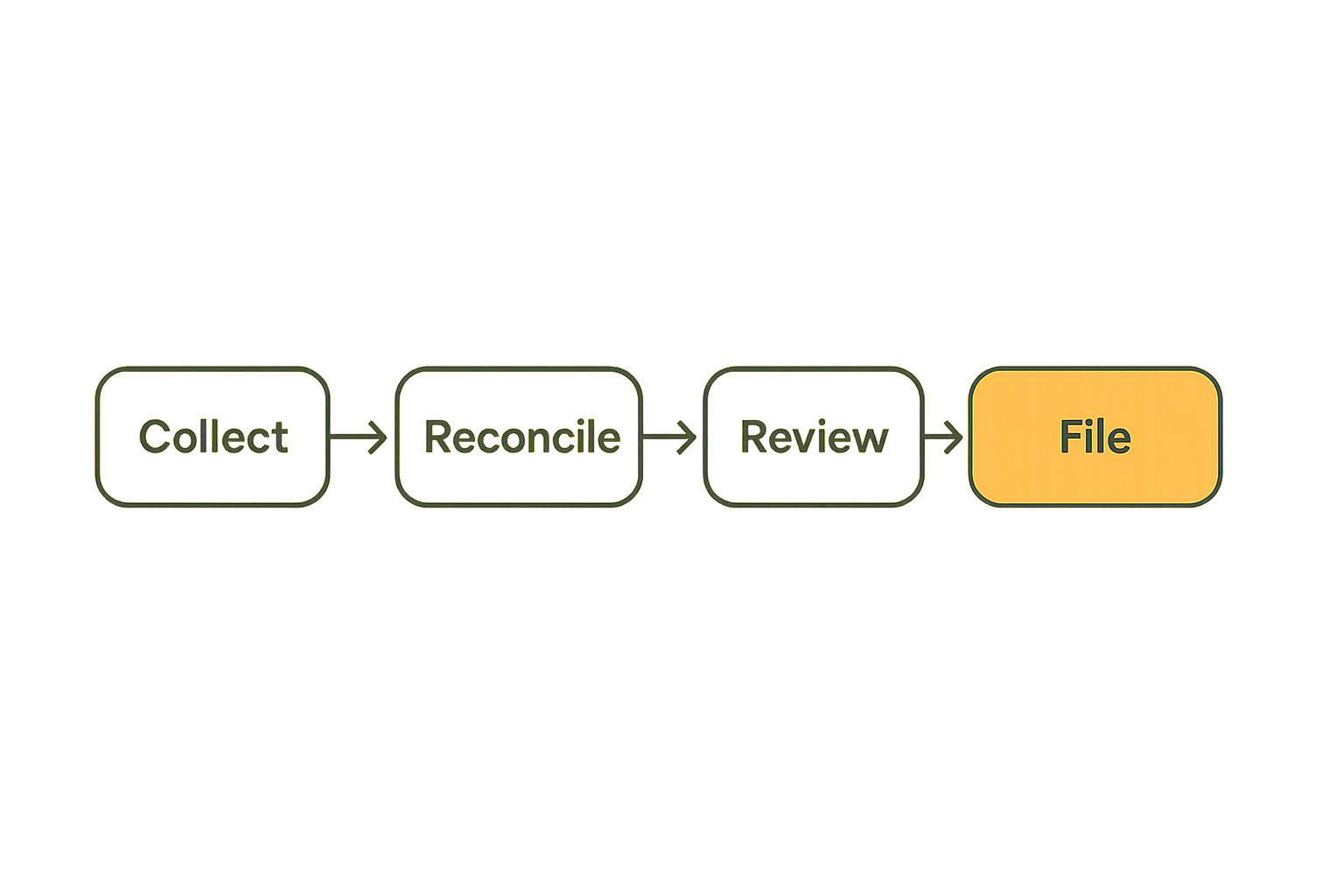
A practical implementation sequence
You do not need a heavyweight operating system. You need a sequence your team can run without inventing it every year.
- Create a tax readiness folder for the year.
- Add prior-year return, notices, estimated payment records, and entity documents.
- Export year-to-date accounting reports quarterly.
- Reconcile bank, card, payroll, and payment processor totals.
- Review contractor and vendor records before form deadlines.
- Lock the year-end bookkeeping close before entering final numbers.
- Start turbotax software only after required inputs are available.
- Record open questions in a decision log, not in memory.
- Review the return against source reports before filing.
- Archive the filed return, confirmation, payment records, and supporting exports.
This sequence is intentionally boring. Boring is good here. Tax workflows fail when teams rely on heroic memory.
Practical rule: Do not open the filing product as the first step. Open it after the close process produces reliable inputs.
Review gates that prevent rework
A review gate is a point where the team stops and verifies before moving forward. It is cheaper to catch errors before filing screens are filled than after the return is nearly done.
Useful gates include:
- records complete gate
- bank reconciliation gate
- payroll and contractor gate
- category review gate
- estimated payment gate
- final filing approval gate
Each gate needs an owner and a pass or fail status. Avoid vague updates like mostly done. Mostly done usually means no one knows what is missing.
A simple status model works:
| Gate | Owner | Status | Evidence |
|---|---|---|---|
| Records complete | Ops | Pass | folder checklist |
| Reconciliation | Bookkeeper | Open | bank variance noted |
| Contractor forms | Founder | Pass | vendor report |
| Final approval | Owner | Waiting | return draft |
Related operational patterns
Tax workflows are not unique. They are another version of a broader software operations problem: collect inputs, review assumptions, approve changes, publish or file the final output, then measure and archive what happened.
Teams building products face similar tradeoffs when they turn examples into decisions instead of inspiration. Related reading from our network: product examples as a practical software-building system is useful if your team wants a comparable decision workflow outside finance.
Editorial and operations teams also run into the same automation boundary: automation helps, but review lanes and approvals still matter. Related reading from our network: publishing automation software workflow architecture maps that pattern in a different domain.
The point is not that tax work is content work or product work. The point is that reliable teams use explicit workflows when the cost of a bad final output is high.
What breaks when teams implement turbotax software badly
Missing ownership
The most common failure mode is unclear ownership. Everyone assumes someone else has the forms, understands the numbers, or will ask the accountant.
This creates a late-stage scramble. The founder answers questions while traveling. The bookkeeper waits for card statements. The operations person cannot access payroll exports. The software becomes the place where all missing decisions surface.
The fix is not a bigger tool. It is a named owner for tax readiness and a separate named approver for filing.
Late reconciliation
Late reconciliation turns filing into archaeology. If bank accounts, credit cards, payroll, and payment processors have not been reconciled throughout the year, every number becomes suspect.
What breaks in practice is confidence. The team may still finish the return, but no one is sure whether the inputs are complete. That uncertainty creates rework, conservative guesses, or risky assumptions.
Monthly reconciliation is not glamorous. It is one of the highest-leverage productivity habits in small business finance.
Treating estimates as filings
Many teams confuse estimates, drafts, projections, and filed returns. These are different states.
A draft inside turbotax software is not a filed return. An estimated tax calculation is not proof of payment. A payment confirmation is not the same as the tax form. A bookkeeper report is not the filed output.
Use explicit state labels:
- draft
- under review
- approved to file
- filed
- payment scheduled
- payment confirmed
- archived
This matters because support questions often arise months later. If the team cannot tell which version was final, it loses time and confidence.
Support and exception handling
Tax software support is helpful, but it is not your internal operating team. If an import fails, a form seems wrong, or a state question appears, your team still needs an exception path.
Define the path before deadline week:
- who contacts product support
- who decides whether to ask a tax professional
- who tracks open issues
- who approves changes after review
- who updates the archive
The mistake teams make is treating support as a plan. Support is a resource. Your workflow is the plan.
Security, privacy, and access control
Credentials and MFA
Tax accounts contain sensitive financial and identity information. Access should be treated more like payroll access than a normal productivity app.
At minimum:
- use a dedicated account owner
- enable multi-factor authentication
- avoid shared passwords in chat
- store recovery codes securely
- remove access when roles change
- document who can file or approve
If multiple people need to contribute, decide whether they need direct access or whether they can provide documents through a controlled folder. Convenience is not the only variable.
Data minimization
Do not upload or share more sensitive data than the workflow requires. Tax preparation naturally involves personal identifiers, income records, bank information, and business details. The team should reduce unnecessary duplication.
Data minimization means:
- avoid random local copies
- do not email full document bundles casually
- limit access to current-year folders
- separate personal and business documents where possible
- archive final records in a controlled location
This is especially important for small teams because informal access patterns become normal quickly. The founder sends a PDF to a contractor once, and suddenly tax records are living in inboxes, downloads folders, and old chat attachments.
Vendor risk and retention
Every software choice has a retention question. How long can you access prior returns? Can you export PDFs? Can you retrieve payment confirmations? What happens if the subscription changes or the account owner leaves?
Do not assume the vendor account is the archive. Keep your own controlled archive of filed returns and source evidence.
A practical archive structure:
Tax archive
  2026
    filed return
    filing confirmations
    payment confirmations
    accounting exports
    payroll reports
    contractor reports
    receipts and evidence
    decision log
That archive reduces vendor lock-in and protects the team when staff, tools, or plans change.
Pricing, ROI, and switching cost
Subscription price is not the full cost
When buyers compare turbotax software, they often look at edition pricing first. That matters, but it is not the full cost.
The full cost includes:
- time spent preparing records
- time spent learning the workflow
- cost of assisted review
- cost of correcting bookkeeping
- risk of filing errors
- opportunity cost during deadline weeks
- cost of switching to a professional later
A cheaper option can be expensive if it pushes complex work onto a founder who does not have time or context. A higher tier can be cheap if it prevents late-stage uncertainty.
When to upgrade or involve a pro
Upgrade the workflow when complexity increases, not after the team is already stuck.
Signals that you may need more help:
- new entity structure
- employees in multiple states
- international contractors or revenue questions
- large asset purchases
- investor or equity events
- repeated uncertainty about categories
- prior notices or amendments
- founder time becoming the bottleneck
This is an operating decision. If the founder spends two weekends resolving tax uncertainty, the software was not really low cost.
Exit plan
An exit plan is not pessimism. It is good software buying.
Before committing to a workflow, know how you would leave it:
- export prior returns
- export source documents
- save payment records
- document assumptions
- preserve account access
- hand records to a CPA if needed
This makes turbotax software easier to use responsibly because the team is not trapped inside it. The tool becomes part of a portable tax system.
Where saasrow.com fits in software buying
Use comparisons to make better workflow decisions
At saasrow.com, we write for readers who want practical articles, guides, and insights about software and productivity. The useful software question is rarely just which app has the cleanest interface. It is which workflow the app makes possible, which responsibilities it clarifies, and which risks it leaves with your team.
That is the right lens for turbotax software in 2026. Evaluate it by the way your records, owners, review gates, security practices, and filing decisions work together.
If your finances are simple, your records are clean, and your owner is comfortable with guided filing, TurboTax may be a practical choice. If your business has complexity the team does not fully understand, the better decision may be assisted support or an accountant-led workflow.
Either way, the winning move is the same: design the workflow before the deadline.
Try saasrow.com
saasrow.com is for readers who want practical articles, guides, and insights about software and productivity. If you are comparing turbotax software or any other business tool, use the workflow lens first: records, ownership, integrations, review, security, and support. Try saasrow.com.